MacBook
Used and refurbished MacBook laptops.
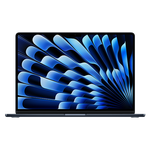






Better than trade-in
Selling on Swappa means you get paid what your MacBook is actually worth, and that's more than any of the trade-in sites are offering. Plus, when you list on Swappa you get paid instantly as soon as your laptop sells rather than waiting over a week for a check.
Factory reset your MacBook before selling
Before shipping off your sold MacBook you'll want to ensure you've reset your MacBook and restored factory settings to wipe all your personal information. Read this article about how to wipe your Macbook for more details.
Ship your MacBook safely after it's sold
Shipping your sold MacBook safely is crucial, but you don't want to overpay. Use the right size box and proper packaging to ensure it arrives safely to it's new owner.
How to safely ship your MacBook
How to wipe a Macbook to sell
How to wipe a MacBook to sell: Before you sell your MacBook, you'll need to erase all your data stored on the computer. Here are some easy steps to factory reset your MacBook:
- Select Apple button in upper left corner > Restart...
- Once MacBook begins to restart, hold down "command" and "r" keys and release when Apple logo appears
- Once inside Recovery Mode, select Disk Utility > Continue > Macintosh HD startup disk > Erase > change format to Mac OS Extended (Journaled) > Erase
- Select Quit Disk Utility > Reinstall macOS > Install macOS
- Wait for macOS to boot up
Where to sell Macbook
Apple and a variety of retail stores will allow you to trade-in your MacBook offering you store credit or a gift card. Unfortunately, this is only fraction of what you'd get if you sold your MacBook yourself. On Swappa, you can get the most money for your MacBook by directly to buyers. This allows you to receive cash for your MacBook — not store credit — and use the money however you like.
Which MacBook should I buy?
The MacBook is an outstanding Apple laptop that features plenty of power and easy portability. There are several different models, screen sizes and specs to fit exactly what you are looking for. Buying a used or refurbished MacBook means you save even more.
The MacBook Pro features top-of-the-line performance and has two screen size options 13” and 15”. The MacBook Air is a sleek and slim laptop designed with portability in mind. The MacBook Retina is highlighted by its ultra-crisp screen and lower price tag compared to the MacBook Pro.
Want more help finding the right MacBook for you? Check out our MacBook buyer's guide!
Where is the best place to buy a used MacBook?
No matter what option you go with, Swappa is the best place to buy a used MacBook. On Swappa you buy directly with other users and cutting out the middleman means you get the best prices around.
Buyers and sellers transact safely and directly on Swappa using PayPal. Extensive buyer and seller protections keep both parties safe and we make sure sellers get paid fast.
To keep our marketplace safe, we don’t allow broken items. Every product has listing requirements and an approval process to ensure confident shopping. Sign up and join the Swappa community today!



Search and Save
 Loading search results
Get Help, Fast
Need help with a listing or a sale?
Submit Help RequestHelpful Links
Swappa's typical response time for help requests is around 20 minutes... That's really fast!
Sell with Swappa
Loading...

Loading...