How to Cool It Down and Keep It That Way
Your iPhone gets warm sometimes — that’s normal. But when it gets hot enough that it’s uncomfortable to hold, or when a warning pops up saying the phone needs to cool down before you can use it, something is genuinely wrong. The good news is that overheating is usually caused by one of a handful of things, and most of them are easy to fix.
What’s Actually Causing the Heat
iPhones generate heat when the processor is working hard. Under normal circumstances — checking email, scrolling, texting — you shouldn’t notice it. The phone gets warm when it’s doing something genuinely demanding: processing a long video export, running a graphics-heavy game for an extended stretch, restoring from a backup, or indexing a full library after an iOS update.
That kind of temporary heat is fine. The problem is when the phone runs hot during tasks that shouldn’t require much processing power at all. If your phone is warm just sitting on a table with the screen off, or getting hot during a regular phone call, that points to something running in the background that shouldn’t be.
A recently updated app is often the culprit. An app with a bug can get stuck in a loop, hammering the processor without actually doing anything useful. Check Settings > Battery and look at the app breakdown — if one app is consuming a disproportionate chunk of battery, it’s likely generating heat too. Force-quit it and see if the phone cools down.
A few other common causes: charging wirelessly (which generates more heat than a cable), running navigation and music simultaneously on a long drive, and background sync running right after you set up a new phone. If you’ve recently upgraded, the phone may be quietly syncing thousands of photos and files for hours after you first turn it on — that’s normal, but it will make the phone run warm until it’s done.
How to Cool It Down When It Happens
When your iPhone is genuinely hot, the steps are straightforward: stop what you’re doing, take it out of any case (cases trap heat), and set it face-down on a cool, hard surface. Don’t put it in the fridge or run cold water over it — thermal shock from going cold too quickly can damage internal components. Room temperature is all you need.
If you get the temperature warning screen, Apple’s system has already throttled the phone to protect itself. You won’t be able to do much until it cools down. That’s intentional. Just let it sit.
While it’s cooling, turn on Airplane Mode to cut off all radio activity (Wi-Fi, cellular, Bluetooth) — these antennas generate heat of their own. Turn the screen brightness all the way down too. Between those two things, you can cut the thermal load significantly and the phone will cool down faster.
Avoid charging a hot iPhone. Charging generates additional heat on top of whatever is already warming the phone, and lithium-ion batteries don’t like being charged hot. If the phone is already warm when you plug it in, let it cool first.
Summer Is Coming — Watch Out for Your Car
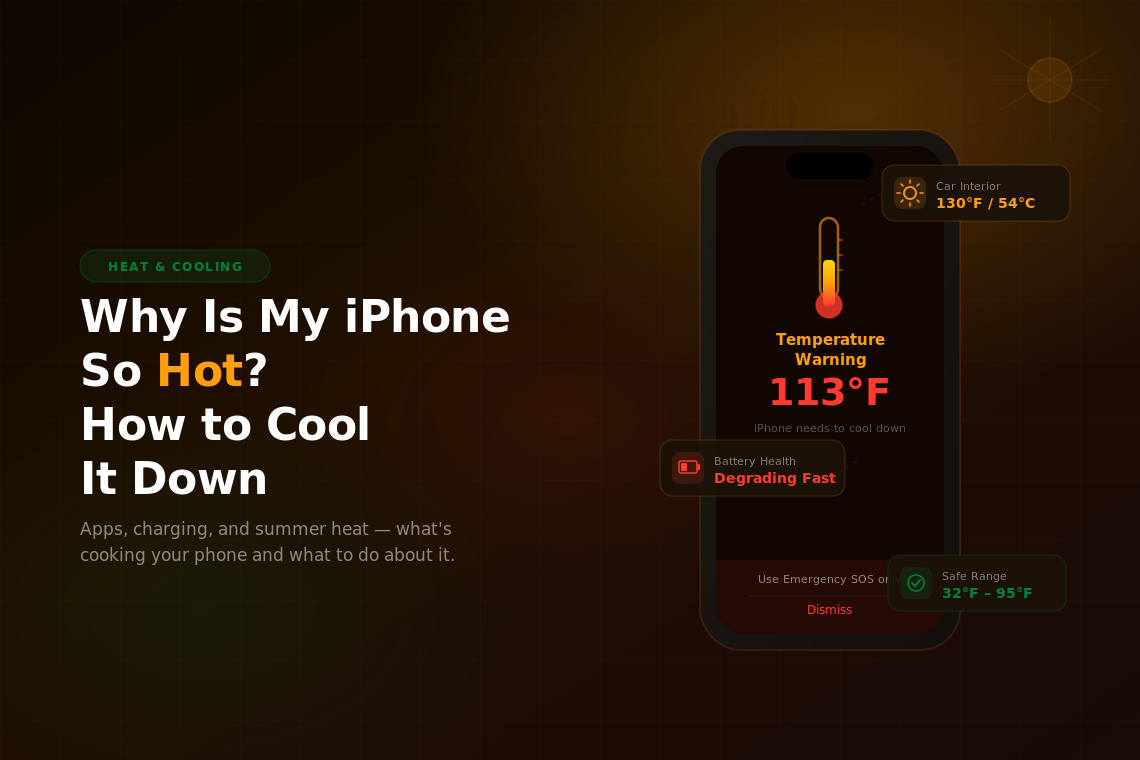
As temperatures climb, one of the most common (and most damaging) overheating scenarios is a phone left in a parked car. On a 90°F day, the interior of a car sitting in direct sunlight can hit 130°F or higher within 30 minutes. Your iPhone is rated to operate between 32°F and 95°F, and to be stored between -4°F and 113°F. A hot car can push well past both of those limits.
The damage isn’t always immediate or obvious. Repeated exposure to high heat degrades the battery faster than almost anything else you can do to a phone. If your battery health seems to be dropping faster than it should, and you’re regularly leaving the phone in a hot car, that’s probably why. Once heat damage sets in, a battery replacement is often cheaper than people expect and can make a big difference.
Direct sunlight through a windshield is especially brutal. The glass intensifies the heat, and even a few minutes of the screen sitting in direct sun can trigger the temperature warning. If you’re using your phone for navigation on a summer road trip, keep it out of direct sunlight — a dashboard mount that positions it in the shade, or a vent clip mount, makes a real difference.
A few practical habits that help during hot months: never leave your phone on a car dashboard or seat when you park, use a cable charger instead of wireless when it’s already warm out (wireless charging adds extra heat), and remove your case before getting in the car if you’ll be driving for a while. Phone cases, particularly thick rubber ones, are great at insulating heat and can push a warm phone into hot territory quickly when the ambient temperature is already high.
When It’s a Bigger Problem
If your phone runs hot consistently — not just after long gaming sessions or on a hot day, but regularly during normal use — it’s worth taking it seriously. A swollen battery is one cause: as lithium-ion batteries age or get damaged, they can swell internally, which generates heat and can distort the phone’s case. If the back of your iPhone feels slightly raised or the screen seems to be lifting at the edges, that’s a warning sign and you should take it to Apple or an authorized service provider as soon as possible.
A full Settings > General > Transfer or Reset iPhone > Reset All Settings can sometimes fix persistent software-driven overheating by clearing out corrupted preferences that cause background processes to misbehave. It’s less disruptive than a full factory reset because it doesn’t wipe your data — it just resets your preferences back to defaults.
If you’ve tried everything and the phone is still running unusually hot during normal use, it’s time to let Apple take a look. Hardware faults are rare, but they do happen, and a hot phone that won’t cool down is one of the clearest signs something is wrong at a hardware level. If the repair cost doesn’t make sense for an older device, it might be worth exploring a used iPhone on Swappa — you’ll often get a newer model with a healthy battery for less than the cost of a repair on an aging one.