If you are buying a used phone you should always check its status to make sure it hasn’t been reported as lost or stolen. Some sites, such as Swappa, check the IMEI number before allowing a phone to be sold in the marketplace.
Having the IMEI number checked before a listing is approved removes the potential for phone fraud. This is one reason why Swappa is trusted and considered to be a safe marketplace, but that same level of trust may not be available if you purchase your phone from another site, or from a third party or individual that you do not personally know.
Keep reading to learn more about how to find a phone’s IMEI number, and how to check the IMEI for free on Swappa.
How to find a phone’s IMEI number
The steps to find an IMEI in the device settings often vary based on the phone manufacturer and the type of phone you are checking — an Android smartphone or an iPhone. But finding a phone’s IMEI number is easy, you just need to know where to look, or more to the point — what to dial. Regardless of the make or model, you can quickly and easily find the IMEI using these two steps:
- Open the Phone (dialer) app
- Dial *#06#
As soon as you hit the final # sign, the phone will show you the IMEI, which stands for International Mobile Equipment Identity. Essentially, the IMEI is a unique serial number, often referred to as a device identifier, and it is used to identify phones on wireless networks.
Carriers use the IMEI to see if a phone is active on their network. And, in cases where an IMEI has been reported as lost or stolen, they can also block the phone from being used. This is why it is very important to always check a phone’s IMEI before you buy (or to buy from a marketplace, such as Swappa, that handles that check).
One tip to keep in mind is that some phones have two IMEI numbers. For example, if you are checking a newer iPhone (Xr, XS, XS Max, or later), there will be a Primary SIM and a Digital SIM (also known as eSIM). You may also see these listed as being IMEI1 and IMEI2. This next part should go without saying, but if there is more than one IMEI you should make sure to run a check on each.
Check a phone’s IMEI on Swappa for free
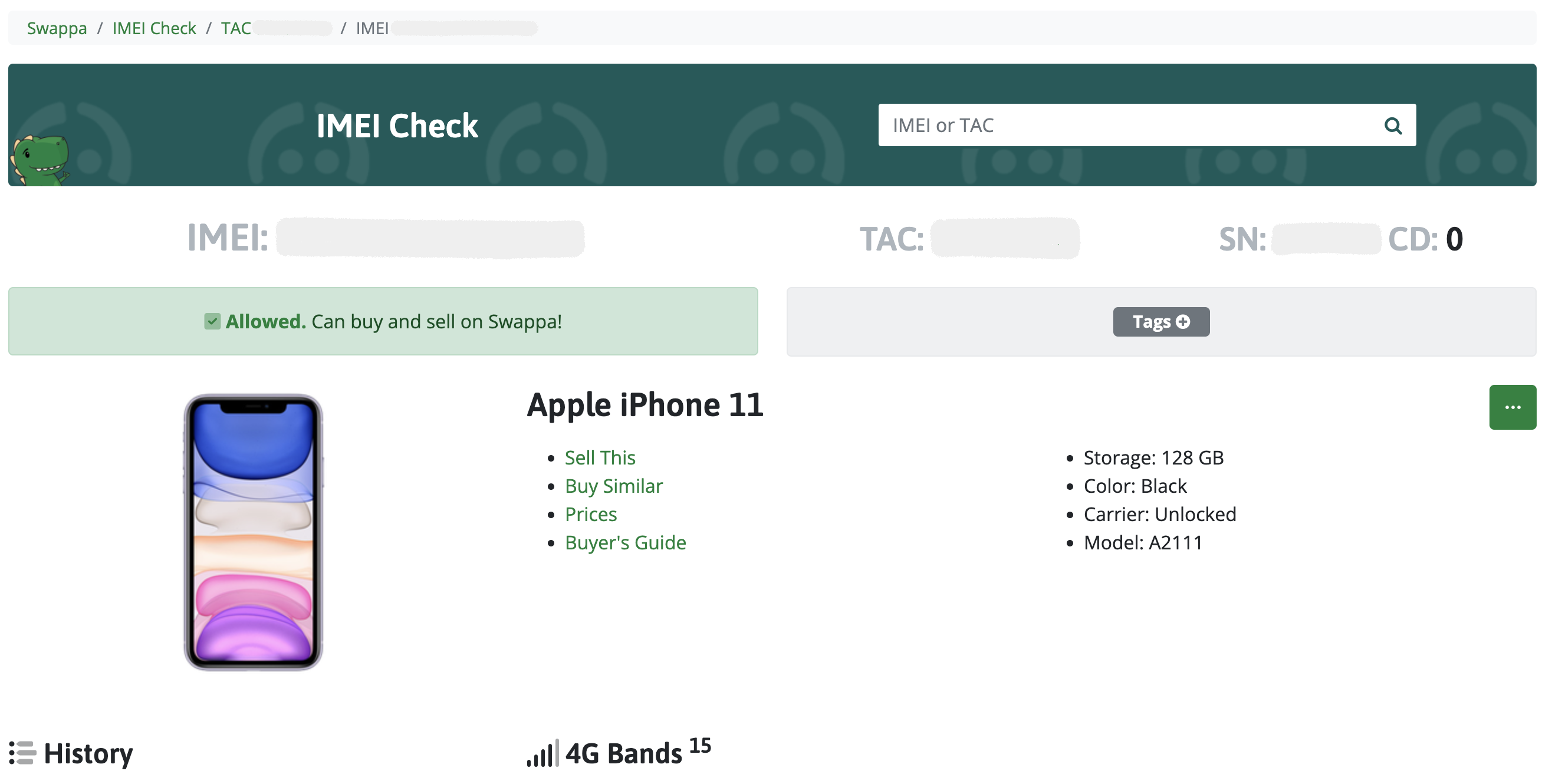
Now that you have the phone’s IMEI, you can now move on to checking it. Similar to finding the IMEI — checking the IMEI is just as easy. You can visit Swappa’s Free IMEI Check page and enter the IMEI in the “IMEI or TAC” field. After that, you just tap the search icon.

The main benefit of using the Swappa IMEI Checker includes finding out if the IMEI is good (on the Allowlist, and able to be listed for sale) or bad (on the Blocklist, and unable to be listed for sale). Other key benefits also include details on the model (storage, color, carrier, model), which network bands the phone supports, and a history (showing if the device was ever listed or sold on Swappa).
As we’ve covered here in this post — it is important to always check the IMEI before you buy a used phone. Alternatively, you can buy a gently used phone from the Swappa marketplace and take comfort in knowing that a Swappa staff member has already checked the IMEI number.