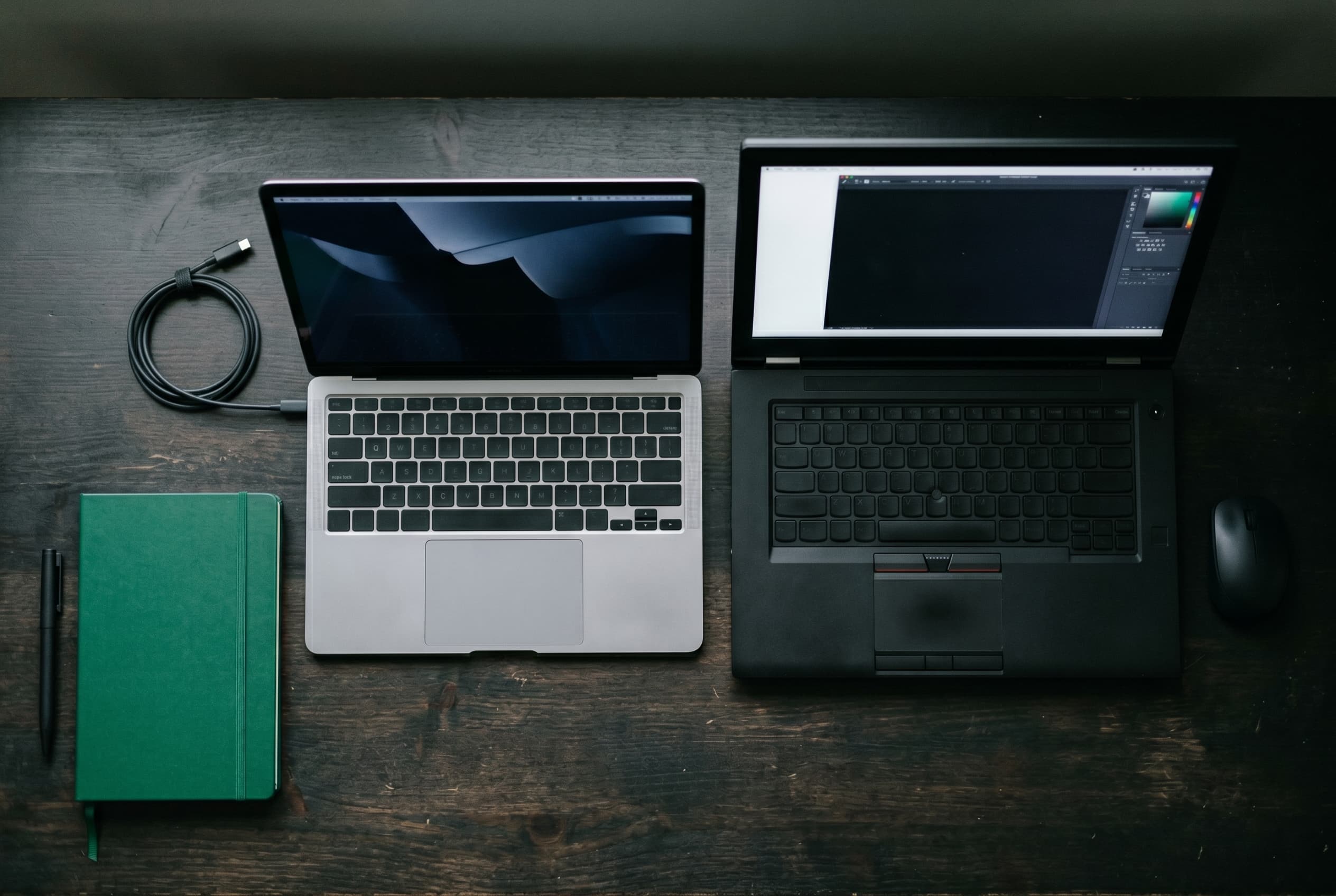
Buying new for professional work means paying a premium for specs you could get used for significantly less. This guide pairs the real demands of remote work, programming, and creative production with the specific used models that deliver them, without the new-machine price tag.
Quick Answer
For most professional and creative buyers, a used MacBook Pro (M1 or M2, 14-inch), ThinkPad X1 Carbon (Gen 9 or Gen 10), or Dell XPS 15 hits the best balance of performance, build quality, and used price. Target at least 16GB RAM and a 512GB SSD for any pro workload. Creative work and video editing benefit from 32GB and a dedicated GPU. Check current prices at swappa.com/prices.
What Pro Work Actually Demands
Before picking a model, it helps to be honest about what your workload requires. Most “pro” buyers fall into one of three tiers.
Light professional use covers document work, video calls, email, web-based tools, and light spreadsheets. The spec bar here is lower than most buyers think: 16GB RAM and a current-generation CPU handle this reliably.
Programming and development adds compiler workloads, running local servers, Docker containers, and sometimes virtual machines. RAM matters more here. 16GB is a workable minimum; 32GB is better if you run multiple environments simultaneously. Storage speed matters too: an NVMe SSD is non-negotiable.
Creative and video work is where specs diverge most from the other two tiers. Video editing, color grading, motion graphics, and 3D work benefit from a dedicated GPU, high-resolution color-accurate displays, and often 32GB or more RAM depending on resolution and project complexity. A chip with a strong media engine (Apple M-series, or Intel 12th-gen and newer with Quick Sync) also speeds up export significantly.
For a full breakdown of what each spec number means in practice, see the Used Laptop Specs That Actually Matter guide.
Used Laptops: The Complete Guide to Buying and Selling (2026)
Best Used Laptops for Remote and Office Work
Remote and office work puts a premium on build quality, display, keyboard, and battery life over raw horsepower. These machines meet the spec floor and excel at the ergonomics that matter across a full workday.
| Model | RAM | Storage | Display | Approx. Used Price Range |
|---|---|---|---|---|
| ThinkPad X1 Carbon Gen 9 / Gen 10 | 16GB | 512GB SSD | 14-inch IPS / 2K | $350–$600 (varies) |
| HP EliteBook 840 G8 / G9 | 16GB | 512GB SSD | 14-inch FHD/2K | $280–$500 (varies) |
| Dell Latitude 7420 / 7430 | 16GB | 512GB SSD | 14-inch FHD | $250–$450 (varies) |
All price ranges are approximate and vary by condition, configuration, and market timing. Check current used laptop prices on Swappa for live data.
ThinkPad X1 Carbon (Gen 9 / Gen 10) is the benchmark for business laptop build quality. Under 2.5 lbs, MIL-SPEC tested, with a keyboard that remains one of the best on any laptop. Gen 9 runs 11th-gen Intel Core; Gen 10 moves to 12th-gen with a measurable efficiency improvement. Both handle remote work without any compromise. One caveat: X1 Carbons were popular in enterprise fleets, so verify that used units are free of MDM enrollment or BIOS supervisor passwords before buying. See the BIOS Locks & MDM Enrollment guide for how to check.
For a deeper ThinkPad breakdown by series, see the Used ThinkPad Buyer’s Guide.
HP EliteBook 840 is a strong alternative with similar enterprise durability credentials. The G8 and G9 generations added a significant display quality bump (some configurations reach 2K resolution) and competitive battery life. Like ThinkPads, ex-corporate units may carry MDM enrollment.
Dell Latitude 7420 / 7430 trades some premium feel for wider availability and generally lower used prices than X1 Carbons. A reliable choice if budget discipline is a priority over prestige build materials.
Best Used Laptops for Programming and Development
Developers need fast I/O, sufficient RAM for running multiple environments, and a CPU that handles compilation without throttling. Display quality and keyboard quality matter too. These machines are driven hard.
| Model | RAM | Storage | Display | Approx. Used Price Range |
|---|---|---|---|---|
| MacBook Pro M1 / M2 (14-inch) | 16GB / 32GB | 512GB–1TB SSD | 14-inch Liquid Retina XDR | $800–$1,400 (varies) |
| ThinkPad T14s Gen 3 / Gen 4 | 16GB / 32GB | 512GB SSD | 14-inch FHD / 2.8K OLED | $400–$700 (varies) |
| Dell XPS 15 (2022–2023) | 16GB / 32GB | 512GB–1TB SSD | 15.6-inch FHD / OLED | $700–$1,100 (varies) |
Prices are approximate and vary. Check current listings on Swappa.
MacBook Pro M1 / M2 (14-inch) has become the default recommendation for development work that runs on macOS or a Unix-like environment. The M-series unified memory architecture means 16GB performs closer to 24–32GB on Intel machines due to a shared, low-latency memory bus. Compilation is fast, battery life is exceptional, and thermals are managed without aggressive fan noise. The tradeoff: RAM and storage are soldered, so buy the configuration you need now. For most developers, 16GB is sufficient; 32GB is worth the premium if you run Docker containers, VMs, or Kubernetes locally.
For more on every M-generation by value, see the Used MacBook Buyer’s Guide.
ThinkPad T14s (Gen 3 / Gen 4) is the development pick for Linux users or anyone who prefers a PC. The Ryzen 7 Pro configurations in Gen 3 are particularly capable: fast multi-core performance with good power efficiency. The optional 2.8K OLED display on Gen 4 is an unexpected bonus for a business-class machine. RAM is often soldered (check before buying), but 16GB configurations are common on the used market at reasonable prices.
Dell XPS 15 suits developers who want a larger canvas for side-by-side work. The 15.6-inch display offers more workspace than a 14-inch machine, and the OLED configuration has exceptional contrast and color. On the performance side, 12th-gen Intel Core i7 configurations handle heavy workloads capably. Fan noise under load is a known characteristic of the XPS 15, so factor that in if you work in quiet environments.
Used Laptop Specs That Actually Matter
Best Used Laptops for Creative and Video Work
Creative workloads stress a laptop differently than the other two categories. You want a color-accurate display, sufficient GPU headroom for render tasks, and enough RAM to hold large project files, preview caches, and app overhead simultaneously.
| Model | RAM | Storage | Display | GPU | Approx. Used Price Range |
|---|---|---|---|---|---|
| MacBook Pro M2 / M3 (14 or 16-inch) | 16GB–36GB | 512GB–2TB SSD | Liquid Retina XDR, P3 wide color | Integrated (M-series GPU) | $1,000–$1,800 (varies) |
| Dell XPS 15 (2022–2023) | 16GB / 32GB | 512GB–1TB SSD | 15.6-inch OLED / 4K | NVIDIA GeForce RTX 3050 Ti | $700–$1,200 (varies) |
| Dell Precision 5560 | 32GB | 1TB SSD | 15.6-inch OLED / 4K | NVIDIA RTX A2000 | $900–$1,500 (varies) |
Prices are approximate and vary by configuration and condition.
MacBook Pro M2 or M3 (14-inch or 16-inch) is the current benchmark for creative laptop performance, and used M2 models in particular represent genuinely strong value compared to new M4 pricing. The Apple M-series media engine handles H.264, H.265, and ProRes encode/decode in hardware, which slashes export times in Final Cut Pro and DaVinci Resolve compared to software-only export on Intel machines. The Liquid Retina XDR display covers the P3 wide color gamut at over 1,000 nits, which matters for color grading and photo editing where display accuracy is part of the work.
For color work on a budget, an M1 Pro MacBook Pro still delivers a better media engine than most competing Intel machines in its current used price range.
Dell XPS 15 with discrete GPU gives Windows-native creative software users (Adobe Creative Cloud, Premiere Pro, Blender) the dedicated NVIDIA GPU they need for GPU-accelerated rendering and effects. The OLED panel configuration covers DCI-P3 color and offers the contrast depth that IPS panels can’t match. Battery life under creative workloads is significantly shorter than MacBook Pro, so plan for a power source.
Dell Precision 5560 is a workstation-class machine that crosses into the creative professional tier for serious video, 3D, and visual effects work. The RTX A2000 is a professional GPU with ECC memory support, optimized for workstation apps. It’s heavier and louder than the XPS 15 but significantly more capable for GPU-bound tasks. Used prices are reasonable for the spec level.
Value Angle: Used Pro Laptops vs. New
A new MacBook Pro 14-inch (M4, base config) retails around $1,999. A used M2 Pro MacBook Pro 14-inch with similar specs typically sells for substantially less. That gap represents the depreciation already absorbed by the first owner.
The pattern holds across every category in this guide. Business-class laptops like ThinkPads and EliteBooks depreciate quickly off corporate lease cycles, which is how a machine originally specced for enterprise use ends up on the used market at a price that undercuts consumer alternatives.
Used pro laptops typically sell for 30 to 60% below original retail price, depending on age, condition, and generation. The sweet spot for most buyers is one to two generations back: old enough for significant depreciation, new enough that the CPU and OS support runway remain relevant.
For current market pricing across models, see Swappa’s used laptop prices page. For a framework on timing purchases around depreciation curves, see the Swappa Pricing guide.
Swappa staff review listings before approval. Every used laptop must have a clean IMEI/ESN equivalent, no activation or BIOS locks, and be fully paid off. If a listing doesn’t match its description, buyers are entitled to a refund. Fees are flat: 3% buyer fee and 3% seller fee, plus payment processing (for seller). That’s lower than auction-site fees with stronger buyer protection built in.
Used Laptops: The Complete Guide to Buying and Selling (2026)
FAQ
What is the best used laptop for remote work in 2026?
The ThinkPad X1 Carbon (Gen 9 or Gen 10) and the HP EliteBook 840 G8/G9 are the strongest picks for remote and office work. Both offer excellent build quality, keyboard, and battery life at used prices well below new. If you work in a macOS environment, a used MacBook Air M2 covers the same workloads at a lighter weight.
How much RAM do I need in a used laptop for programming?
16GB is the workable minimum for most development work. If you run Docker containers, local Kubernetes clusters, or multiple virtual machines simultaneously, 32GB is worth targeting. On Apple Silicon MacBooks, 16GB performs more efficiently than 16GB on Intel due to the unified memory architecture.
Is a MacBook Pro worth it for video editing?
For macOS-based editing workflows, used MacBook Pro M1 Pro or M2 Pro models offer a strong combination of display quality, hardware media engine (for fast export), and fanless-or-quiet sustained performance. They represent good value at current used prices compared to new M4 models. Windows-native editors should look at the Dell XPS 15 or Dell Precision 5560 for dedicated GPU support.
What should I look for in a used laptop for creative work?
Prioritize these four specs: color-accurate display (at minimum IPS, ideally OLED or Liquid Retina with P3 wide color gamut coverage); 32GB RAM for video editing and motion graphics; 512GB to 1TB NVMe SSD; and either a strong media engine (Apple M-series) or a dedicated GPU (NVIDIA GeForce or Quadro/RTX A-series) for GPU-accelerated rendering.
Are Dell Precision laptops good for video editing?
Yes. The Dell Precision 5560 in particular combines a 4K OLED or calibrated display with a professional-grade NVIDIA RTX A2000 GPU that handles GPU-accelerated rendering in DaVinci Resolve, After Effects, and Blender well. Used units are available at prices significantly below new configurations.
How do I avoid buying a locked ex-corporate laptop?
Business-grade laptops (ThinkPads, EliteBooks, Dell Latitudes, and Precisions) are common in corporate fleets and may carry BIOS supervisor passwords or MDM enrollment from their previous employer. Before buying any ex-corporate unit, verify it boots freely without a password prompt, and ask the seller to confirm MDM deregistration. For a full guide to this risk, see the BIOS Locks & MDM Enrollment guide.
Buy Pro-Grade Used Laptops on Swappa
Used professional laptops represent some of the best value in the used tech market. The machines covered in this guide (MacBook Pros, ThinkPad X1 Carbons, Dell XPS 15s, and Dell Precisions) were built to perform under sustained professional use. Buying one used means getting that build quality and those specs at a fraction of the new price.
Swappa’s laptop listings are staff-reviewed before going live. Every machine must be free of activation locks, management enrollment, and BIOS passwords, with condition disclosed accurately. If a device doesn’t match its listing, you’re entitled to a refund.
Browse current used professional laptop listings, filter by brand, spec, and condition, and check live market prices before you buy.
Related Articles:
Used MacBook Buyer’s Guide: Air vs. Pro, M1–M5 (2026)
Used ThinkPad Buyer’s Guide: T, X, E & P Series Explained
Used Laptop Specs That Actually Matter
Used Tech Resale Value: The Complete Pricing Guide