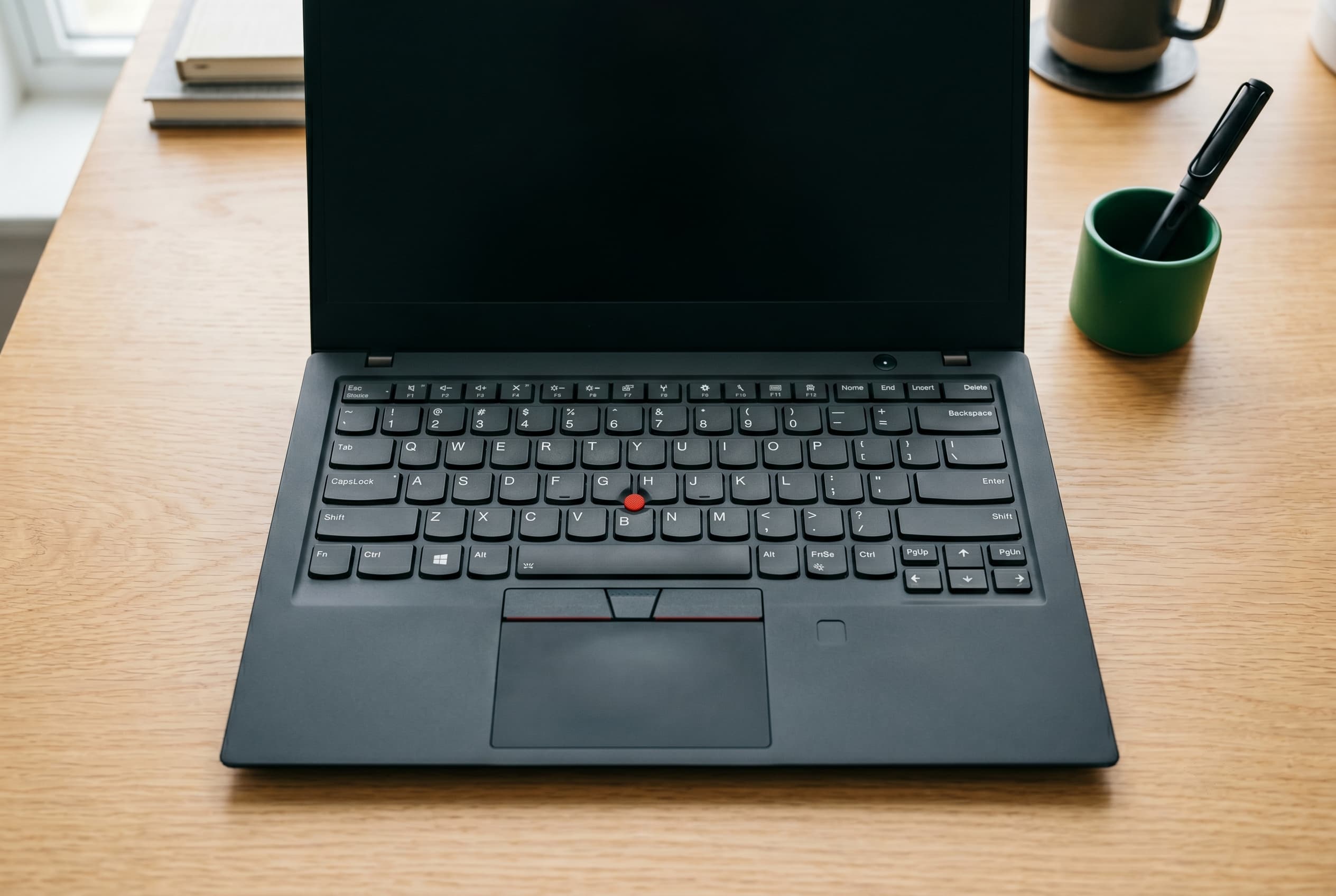
Lenovo’s ThinkPad lineup has one of the most confusing naming systems in consumer tech. T14, X1 Carbon, E15, P16: the letters and numbers mean something, and knowing the difference can save you money or steer you toward the wrong machine. This guide decodes the series, flags the sweet-spot used models, and covers the one risk specific to ex-corporate ThinkPads you should not skip.
Quick Answer
For most work buyers, a used ThinkPad T14 Gen 3 or Gen 4 hits the best balance of build quality, specs, and price. If weight matters above all, the X1 Carbon Gen 10 or Gen 11 is the premium pick. Avoid ex-corporate units without verifying they’re free of MDM enrollment or BIOS supervisor passwords first.
The ThinkPad Letter Map
Every ThinkPad model name starts with a letter that indicates which product line it belongs to. The number that follows typically reflects the primary screen size. Here’s the quick reference:
| Series | Position | Build | Best For |
|---|---|---|---|
| T | Mainstream business | MIL-SPEC, magnesium alloy options | Most work buyers |
| X / X1 | Ultralight premium | Carbon fiber, slim | Travel, executives |
| E | Budget/entry | Plastic | Students, light users |
| L | Mid-range budget | Plastic | Value buyers who want more than E |
| P | Mobile workstation | Heavy, discrete GPU | CAD, video, engineering |
The number after the letter is the screen size in inches. A T14 has a 14-inch screen, a T16 has a 16-inch screen. Generation numbers (Gen 3, Gen 4) tell you roughly how old the unit is and what CPU generation it runs.
Used Laptops: The Complete Guide to Buying and Selling (2026)
T-Series: The Workhorse
The T-series is what most people picture when they think “ThinkPad.” It covers mainstream business use cases with a build that outlasts most consumer-grade competition: MIL-SPEC 810H testing (drop, dust, humidity, vibration), full-travel keyboards that ThinkPad fans have argued about for decades, and long parts availability.
Common used models you’ll see: T480, T490, T14 Gen 1/2/3/4, T16 Gen 1/2. The T480 still circulates in volume because it was one of the last ThinkPads with a user-replaceable battery. The T14 Gen 3 and Gen 4 are the current sweet spots for used buyers: AMD Ryzen or Intel 12th/13th Gen options, 16:10 displays on Gen 4, and enough supply on the used market to keep prices competitive.
What to look for: Confirm screen resolution (FHD or better), RAM (16 GB minimum for most work tasks), and SSD size. T-series units support RAM upgrades on most models, which matters when buying older generations.
Used T-series prices vary with generation and condition. Check current used ThinkPad T-series prices on Swappa before anchoring to a number. The market moves as newer generations hit the used supply.
Used Laptop Specs That Actually Matter
X-Series and X1 Carbon: Light and Premium
The X-series is ThinkPad’s ultralight line. The flagship is the X1 Carbon, a carbon fiber chassis that weighs around 2.5 lbs depending on generation, with full ThinkPad keyboard quality and a slim profile that competes with MacBook Air and Dell XPS for road warriors.
The X1 Yoga is the convertible variant (2-in-1 with a touchscreen that folds flat). If you don’t need the flexibility, the standard X1 Carbon is lighter and typically less expensive used.
Sweet spots for used buyers:
- X1 Carbon Gen 10 (2022): 12th Gen Intel, OLED display option, 16:10 aspect ratio, improved webcam. The used market has strong Gen 10 supply now.
- X1 Carbon Gen 11 (2023): 13th Gen Intel, refinements to the display and battery. Slightly higher used prices but holds up well.
The X1 Carbon typically commands a premium over T-series in the used market. You’re paying for the weight reduction and the premium chassis. If you’re mostly desk-bound, a T14 gives you comparable performance for less.
E-Series and L-Series: Budget Picks
E-series ThinkPads (E14, E15, E16) are the entry-level line. Plastic chassis, lighter specs, no MIL-SPEC rating. They carry the ThinkPad keyboard and general reliability reputation, but they’re built to a price point. Fine for students, light office work, or a secondary machine. Don’t expect the same durability ceiling as a T or X.
L-series (L14, L15) sits between E and T. Still plastic, but closer to T-series specs and features. A used L14 or L15 can be a reasonable mid-tier option if T-series pricing is out of range and you need more than the E-series offers.
Neither line is a bad buy at the right price. Just go in with clear expectations: these are not the tanks that gave ThinkPad its reputation.
P-Series: Mobile Workstation
P-series ThinkPads (P14s, P16, P1) are mobile workstations. They carry discrete NVIDIA Quadro or RTX graphics, ECC memory support on some configs, and ISV certifications for software like AutoCAD and SolidWorks. They’re built for engineers, video editors, and 3D modelers.
The trade-offs: heavier (the P16 can hit 6 lbs), shorter battery life, and higher used prices. If you’re running creative or engineering software that benefits from a certified discrete GPU, the used P-series is worth considering. If you just want a fast laptop for general work, a T14 with integrated graphics will do more with your budget.
Why Used ThinkPads Are a Value Standout
Business-grade laptops are built to a higher spec than consumer machines at the same original price: better keyboards, more durable chassis, longer driver and parts support. When companies refresh their fleets every 3 to 4 years, those machines hit the used market in large volumes, which drives used prices down.
The result: you can buy a ThinkPad T14 or X1 Carbon with 3 to 4 years of life left in it at 30 to 60% off its original retail price. That’s a better durability-per-dollar outcome than most new consumer laptops at the same price.
ThinkPad-specific reasons this holds up:
- Keyboard quality is consistently rated best-in-class for a laptop keyboard. That matters for all-day typing.
- MIL-SPEC ratings on T and X series mean the chassis survives daily abuse longer than consumer-grade plastic.
- Parts availability stays strong. IdeaPad and consumer HP models get discontinued much faster.
- Repairability is above average. Lenovo publishes service manuals, and parts are available through third-party suppliers.
Used ThinkPads on Swappa go through staff-reviewed verified listings. Every listing must meet standards: no OS or activation lock, fully paid off, no water damage or cracked glass. The flat fee structure (3% buyer fee, 3% seller fee) keeps costs lower than auction-site alternatives. Payments run through PayPal with buyer and seller protection, or Stripe for select sellers.
Watch the MDM and BIOS Lock on Ex-Corporate Units
This is the risk that catches used ThinkPad buyers off guard more than any other.
When a company buys ThinkPads in bulk, IT departments often:
- Enroll the device in MDM (Mobile Device Management): Software like Microsoft Intune or Jamf ties the laptop to the company’s network. If the company didn’t properly unenroll the device before selling it, it may be locked to their domain or prompt for corporate credentials on setup.
- Set a BIOS supervisor password: This locks the firmware settings. You can use the laptop normally, but you can’t change boot order, enable/disable ports, or reinstall a clean OS without the password. Some IT teams set these and never document them.
How to protect yourself:
- Ask the seller directly: “Has this been unenrolled from any corporate MDM? Is there a BIOS supervisor password set?”
- On Windows, check Settings > Accounts > Access work or school before finalizing the purchase.
- Swappa’s listing standards require no OS or activation locks, which covers MDM enrollment for Windows machines enrolled via Windows Autopilot. But BIOS supervisor passwords are a firmware-level issue that doesn’t always surface at the OS layer.
For a full breakdown of what BIOS locks and MDM enrollment mean and how to resolve them, see our BIOS/MDM Lock guide (what they are, how to check, and what to do).
This isn’t a reason to avoid ex-corporate ThinkPads. It’s a reason to ask the right questions before you buy.
Frequently Asked Questions
Which ThinkPad series is best for most buyers?
The T-series, specifically the T14 Gen 3 or Gen 4, is the right starting point for most work buyers. It offers MIL-SPEC build quality, a full keyboard, upgradeable RAM on many configs, and strong used market supply that keeps prices reasonable.
Is the X1 Carbon worth the premium over a T14?
If weight is a priority (you’re traveling frequently or carrying it all day), yes. The X1 Carbon is meaningfully lighter and the carbon fiber chassis is more premium. If you’re mostly desk-bound, a T14 gives you comparable performance for less money.
What’s the risk of buying a used ThinkPad from a business fleet?
The main risks are MDM enrollment (corporate device management software) and BIOS supervisor passwords set by the company IT department. Ask the seller to confirm both are clear before buying. Swappa’s listing standards prohibit OS/activation locks, which covers the most common MDM scenario, but always verify.
Are older ThinkPads like the T480 still worth buying?
The T480 remains popular because of its user-replaceable battery and strong parts availability. It’s best for light to moderate work tasks. For anything CPU-intensive, step up to a Gen 3 or Gen 4 T14 to get a more current processor and better display options.
How much do used ThinkPads cost?
Prices vary by series, generation, specs, and condition. As a general range, used T-series and E-series units can run from a few hundred dollars up, while X1 Carbon and P-series models command more. Check ThinkPad Laptops on Swappa for current listings. Prices shift as newer generations enter the used market.
Do ThinkPads run Linux well?
Yes. ThinkPads have a long history of strong Linux driver support, particularly for Ubuntu and Fedora. The T and X series are among the most commonly recommended Linux laptops. Confirm the specific model and generation have community support before buying for Linux use.
The Bottom Line
ThinkPads hold their value in the used market for the same reason they were worth buying new: they’re built to last. The T-series covers most work buyers, the X1 Carbon is the pick for travelers who care about weight, and the E and L series are solid budget options. Just do the MDM and BIOS check before finalizing any ex-corporate unit.