A faster way to shop Swappa listings
We’re rolling out two refreshed pages that make buying feel simpler and more confident. Product Listings gets easier to scan. Listing View gets easier to trust. The goal is simple: less guessing, more buying.
Product Listings now uses cards
The old table worked, but it could feel cramped on mobile. The new card layout gives each listing space and makes comparisons faster.
Each card puts the key details in predictable places:
- Bigger photos and a clear photo count
- Condition and core specs (storage, color, carrier status, model)
- Seller trust signals and ratings
- Listing headlines, so bundles and extras are not hidden
Why this helps
When a product list hides key details, shoppers end up guessing. They click in and out of listings just to confirm basics. Cards put more of the decision-making info up front, so you can browse with fewer detours.
Quick Preview
Click a card and a Quick Preview panel slides in. It keeps you on the same page while you check the highlights. From there, you can open the full listing or jump straight into the buy flow.
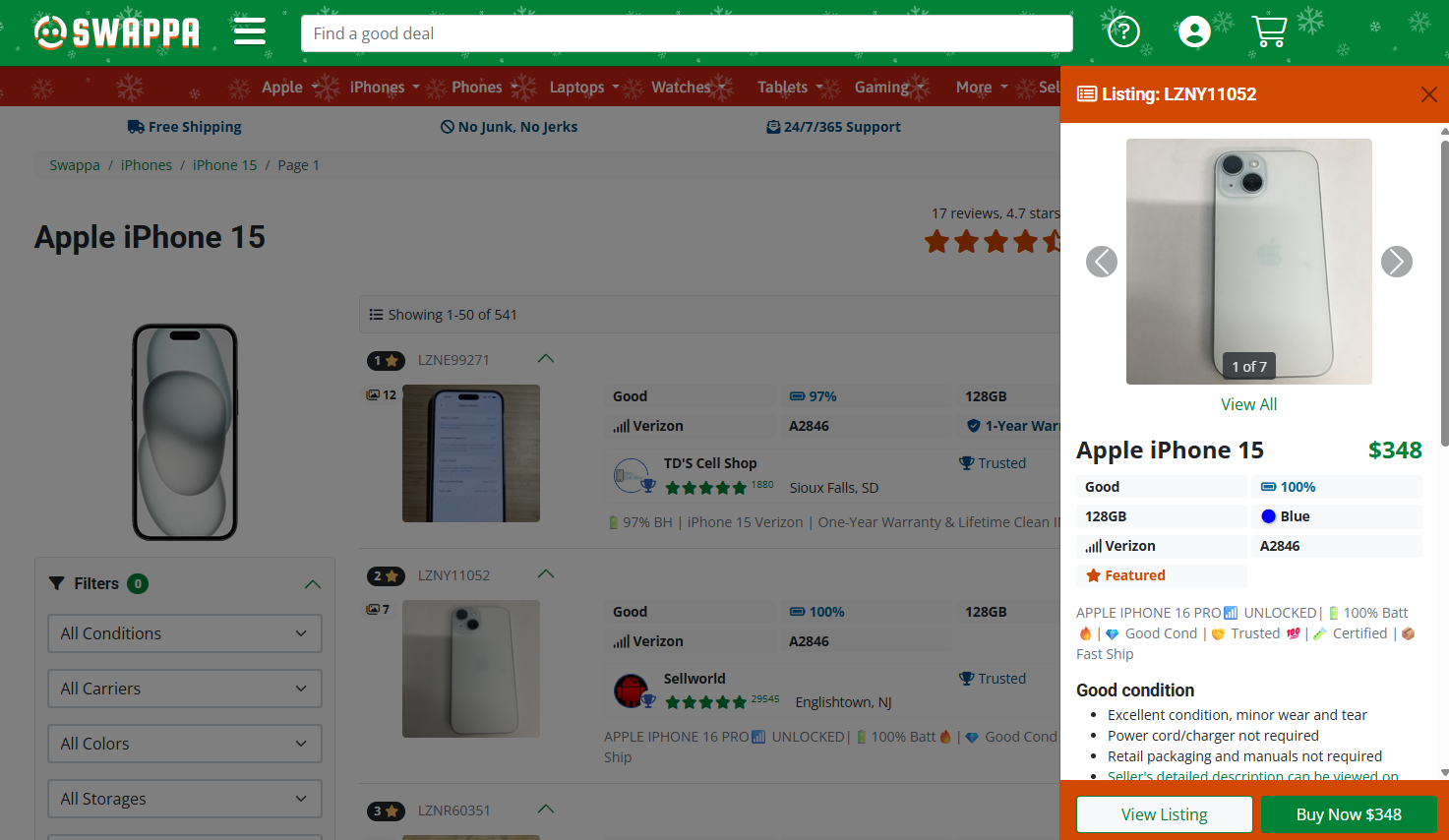
Less “wall of listings”
If one seller has a bunch of similar listings for the same variant in a tight price range, we can collapse them into a group by default. You can expand the group any time. It keeps the page cleaner and helps browsing feel fair.
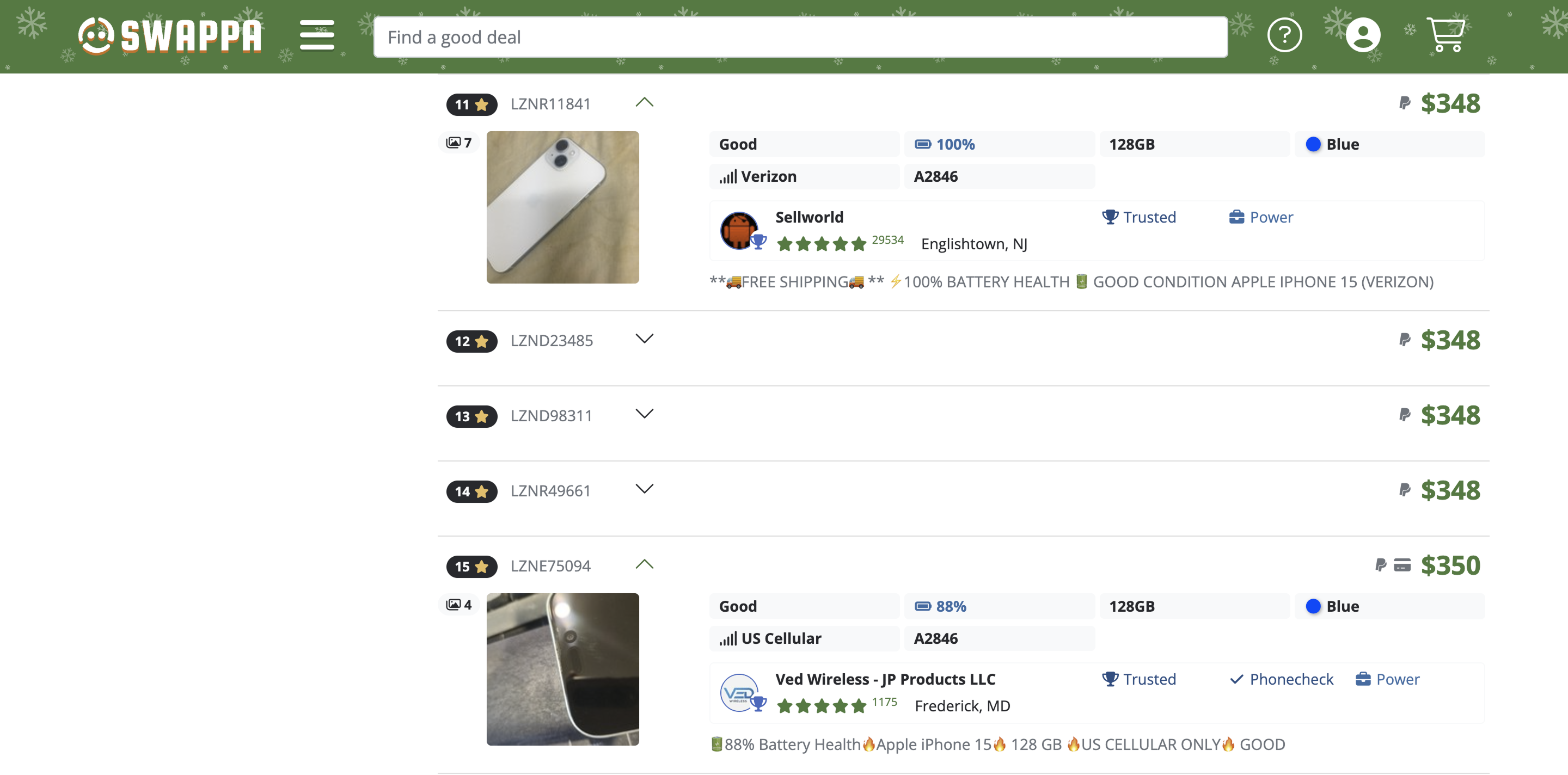
Listing View leads with what matters
The updated Listing View puts price and the buy action right up top. It also brings key attributes into a scannable block, then saves the deep details for later.
Photos get more breathing room too, with a larger lead image and a thumbnail gallery underneath. Headlines sit above the description, so you see the “why this one” context early. As you scroll, the page stays organized with clear sections for condition, seller notes, shipping and returns, payments, and specs.
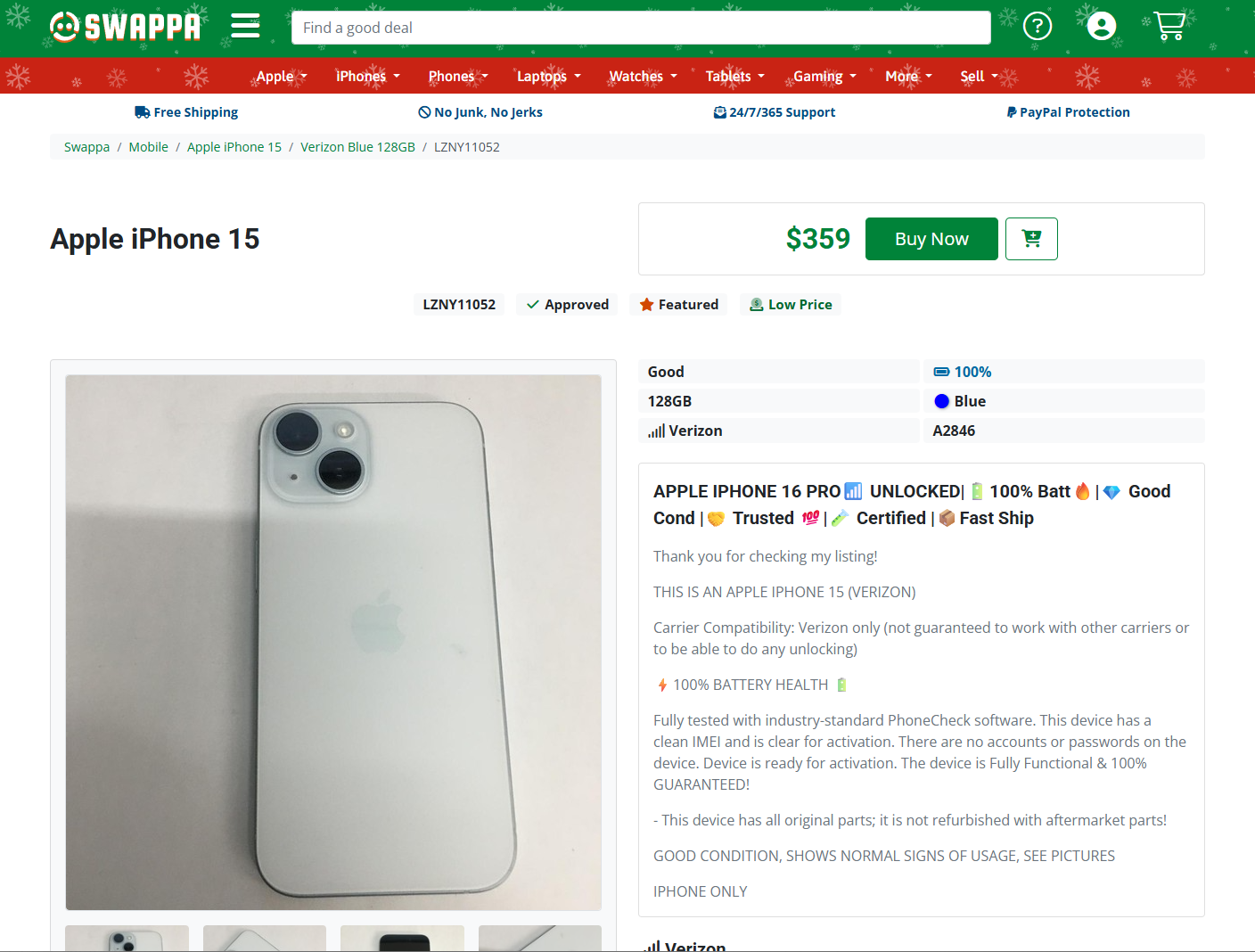
Built to stay steady
We designed these pages to stay visually stable as content loads. Sudden layout shifts are frustrating, especially when you’re about to tap a button. Reserving space for images and dynamic content helps keep the page calm and predictable.
You’ll see these updates roll out as we keep testing and tuning. Try them out and tell us what feels faster.