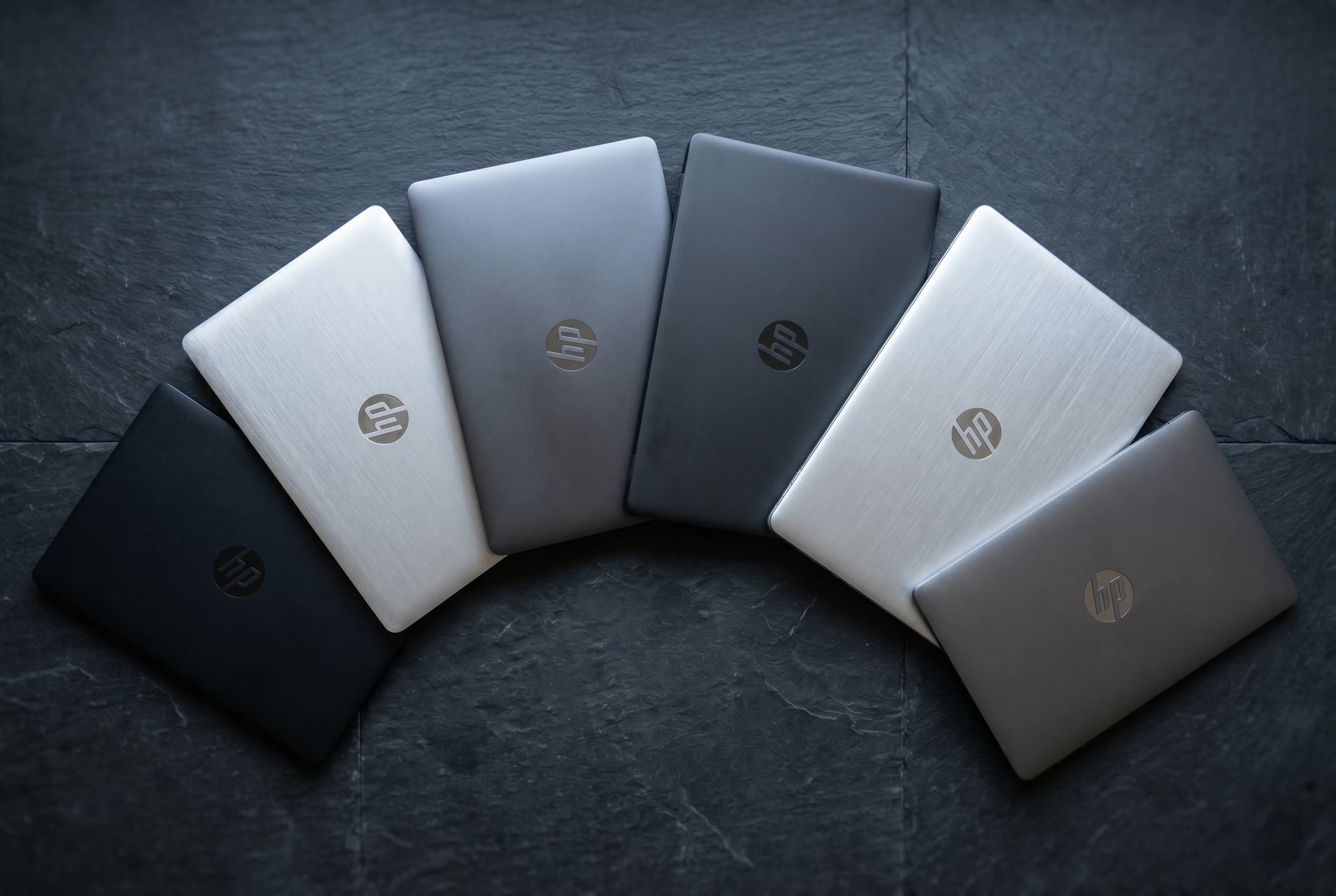
HP sells more laptops than almost anyone, under a list of names that keeps changing. Pavilion, Envy and Spectre are now OmniBook, the EliteBook, ProBook and ZBook business lines got new tier names in 2025, and in 2026 Omen moved under HP’s HyperX gaming brand. This guide maps the old names to the new ones, explains what each HP family is built for, and shows which ones make the best used buys.
It is part of Used Laptops: The Complete Guide to Buying and Selling (2026), which covers the rest of the used laptop decision. Keep used HP laptops on Swappa open while you read. HP’s business lines each have their own page, for the EliteBook, ProBook and ZBook, and most models below link straight to their listings.
Quick Answer
HP’s laptops in plain terms: Pavilion became OmniBook 3 and 5, Pavilion Plus became OmniBook 7, Envy became OmniBook X, and Spectre became OmniBook Ultra. The business lines kept their names but switched to simpler tiers in 2025: EliteBook 6, 8, X and Ultra and ProBook 4. ZBook is still the workstation line, and Omen (sold as HyperX OMEN since 2026) and Victus are gaming. For used buyers, an EliteBook 840 G8 to G10 (2021 to 2023 models) is the best value. Browse used HP EliteBooks on Swappa.
HP’s New Names, Explained
HP renamed its lineup in three steps, which is why used listings mix old and new names.
May 2024: the consumer rename. HP retired Pavilion, Envy, Spectre and Dragonfly. Consumer laptops became OmniBook, with tiers that climb from 3 to 5 to 7 to X to Ultra. “Flip” versions, such as the OmniBook X Flip, are the 2-in-1 convertibles that used to wear the x360 badge. OmniBooks are only starting to reach the used market: look for the OmniBook Ultra Flip 14 and other used HP OmniBook laptops.
2025: the business and workstation rename. HP simplified EliteBook, ProBook and ZBook names and restarted the generation count with a letter for the chip: a for AMD, i for Intel and q for Qualcomm. An EliteBook 8 G1a 14 is the first generation of the EliteBook 8 tier, with an AMD chip and a 14-inch screen. It succeeds the EliteBook 845 G11. Newer models count up from there, so 2026 models carry G2.
January 2026: Omen joins HyperX. HP folded its Omen gaming brand into HyperX, its gaming accessory brand, so new gaming laptops carry names like the HyperX OMEN MAX 16. Victus, HP’s budget gaming line, was not part of the announcement.
Old Names, New Names
| Old name | New name | What it is |
|---|---|---|
| Pavilion (base models) | OmniBook 3 | Entry consumer |
| Pavilion | OmniBook 5 | Mainstream consumer |
| Pavilion Plus | OmniBook 7 | Upper mainstream consumer |
| Envy | OmniBook X | Premium consumer |
| Spectre | OmniBook Ultra | Flagship consumer |
| Envy x360, Spectre x360 | OmniBook Flip models | 2-in-1 convertibles |
| EliteBook 600 series (640, 650, 655, 660) | EliteBook 6 | Entry business |
| EliteBook 800 series (840, 845, 850, 860, 865) | EliteBook 8 | Mainstream business |
| EliteBook 1000 series (1040) | EliteBook X | Premium business |
| Dragonfly | EliteBook Ultra | Flagship business |
| ProBook 400 series (440, 445, 450) | ProBook 4 | Value business |
| ZBook Firefly | ZBook 8 | Entry workstation |
| ZBook Power | ZBook X | Mainstream workstation |
| ZBook Studio | Discontinued (ZBook X covers thin plus powerful) | Slim workstation |
| ZBook Fury | ZBook Fury | Heavy workstation |
| New in 2025 | ZBook Ultra | Compact high-end workstation |
| Omen | HyperX OMEN (2026) | Gaming |
| Victus | Victus | Budget gaming |
Why the Old Names Still Matter
Business laptops usually come off three-year leases, so the new names are only starting to reach the used market. On October 10, 2026, Swappa had 77 EliteBook, ProBook and ZBook listings, and almost all of them used pre-2025 names. The new names were down to a single EliteBook 8 G1a 16 and two EliteBook X G1i 14 listings.
HP business laptops often arrive in batches from resellers, so a model with no listings today can have several next week. If the generation you want is sold out, check back or compare its siblings on the same family page. The rest of this guide covers each family the way you will meet it used.
Pavilion (Now OmniBook 3 and 5): The Consumer Baseline
Built for: home, school, browsing, streaming and low-stakes work.
The Pavilion was HP’s volume seller and entry-level consumer line: plastic chassis, modest specs, and a decent 1080p display on most recent configurations. It is HP’s equivalent of Dell’s Inspiron, built for a price point rather than a power user.
- Pavilion 14 and 15: the standard tier. Fine for casual use, not a great choice for someone who lives on their laptop.
- Pavilion Plus: the step-up tier with an aluminum chassis and better displays. It became the OmniBook 7.
- Pavilion x360: the convertible 2-in-1 with a fold-back hinge and touchscreen.
Buy used? Yes, but stick to recent generations with 16GB of RAM, an SSD and a battery that holds a charge. Older Pavilions with 4GB or 8GB of RAM are not worth your time. Browse used HP Pavilion laptops.
Skip if: you spend most of your day on the laptop. Step up to an Envy or, better, an EliteBook.
Envy (Now OmniBook X): The Comfortable Middle
Built for: mainstream buyers who want a premium feel without flagship prices.
The Envy was HP’s mid-premium consumer line: aluminum chassis, sharper design, brighter and more color-accurate displays, and better keyboards than the Pavilion. It is where HP started caring about how the laptop looks and feels, not just whether it boots.
- Envy 13, 14, 15 and 16: clamshells in several sizes. The 14 is the most versatile, and some 16-inch models offered discrete graphics for light creative work.
- Envy x360: the 2-in-1 convertible, with pen support on most configurations.
Buy used? Yes, when you can find one. A two- or three-year-old Envy with 16GB of RAM and a 512GB SSD gives you a lot of laptop for the money. Envy listings come and go, and Swappa had none on October 10, 2026, so watch the used HP Envy page and check used HP OmniBook laptops for its successor, the OmniBook X.
Skip if: you need business-class durability. The Envy is built for daily use, not daily abuse.
Spectre (Now OmniBook Ultra): The Design Flagship
Built for: buyers who want the best-looking Windows laptop on the desk.
The Spectre was HP’s design showcase: machined aluminum, gem-cut edges, distinctive color accents, and OLED options on high-end configurations. It is the closest Windows analog to a MacBook in feel, and it was priced to match.
- Spectre x360 14 and 16: premium 2-in-1 convertibles with a touchscreen and pen. The 14 is the daily-driver pick.
- Spectre clamshells: slimmer premium models sold in some years.
Buy used? Carefully. Spectres can depreciate faster than EliteBooks, which is good for buyers, but some generations had hinge complaints and the polished edges show nicks. Check condition photos closely. Spectres are scarce on Swappa, with none listed on October 10, 2026, so watch the used HP Spectre page or look at its 2-in-1 successor, the OmniBook Ultra Flip 14, which had two listings from $899.
Skip if: you are hard on laptops or need lots of ports. An EliteBook is tougher and better connected.
ProBook (Now ProBook 4): The Underrated Middle
Built for: small businesses that want commercial-grade build without EliteBook prices.
The ProBook sits between the consumer lines and the EliteBook. You get a business-grade keyboard, better durability than a Pavilion, and management features an IT department appreciates. The ProBook 400 series (440, 445, 450) is the volume seller and became the ProBook 4 in 2025.
Buy used? Yes, and it is often the cheapest way into an HP business laptop. On October 10, 2026, a Fair-condition ProBook 440 G8 with 16GB of RAM and a 512GB SSD listed for $248, against $308 for an EliteBook 840 G8 of the same year, condition and configuration. The ProBook 450 G8 listed for $206 to $289 and the 12th-gen ProBook 450 G9 for $240, but most of those had 8GB of RAM, so filter for 16GB. For AMD chips, look at the ProBook 445 G8 at $369 to $376 and the ProBook 445 G10 at $391 to $442. For school, light remote work or a no-fuss home laptop, a recent ProBook at the right price is hard to beat. Browse used HP ProBooks.
Skip if: you want EliteBook polish. The ProBook is competent, not glamorous.
EliteBook (Now EliteBook 6, 8, X and Ultra): The Commercial Flagship
Built for: office workers, business travelers and IT departments. Five-day work weeks, three-year refresh cycles.
The EliteBook is one of the strongest lines on the entire used laptop market: magnesium and aluminum chassis, MIL-STD-810 testing on many models, spill-resistant keyboards, dock compatibility, and on recent generations, some of the best webcams and microphones on any laptop.
- EliteBook 800 series (830, 840, 845, 850, 860, 865): the volume sellers, now called EliteBook 8. The 14-inch 840 is the one you will see most (listings by generation are below). The 15.6-inch EliteBook 850 G8 is the same 2021 generation in a bigger size, the 16-inch EliteBook 860 G9 replaced it in 2022, and the Elite x360 830 G10 is a 13.3-inch 2023 convertible. On October 10, 2026, the 850 G8 listed for $411 to $430 and the 860 G9 for $411.
- EliteBook 1000 series and Dragonfly: the premium executive tier, now EliteBook X and EliteBook Ultra. Lighter and more refined, with carbon fiber or magnesium bodies. They are scarce used: on October 10, Swappa had a single EliteBook x360 1030 G3, a 2018 convertible, at $432.
- EliteBook 600 series: the entry business tier, now EliteBook 6. The AMD-powered EliteBook 655 G9, a 15.6-inch 2022 model, had six listings at $411 to $525 on October 10.
Buy used? Yes. This is the play. Here is what Swappa had for the EliteBook 840 on October 10, 2026, by generation. Every generation in the table officially supports Windows 11, except G5 units with a 7th-gen chip, so confirm the processor on any G5.
| Model | Year | Processor | Listings | Asking price |
|---|---|---|---|---|
| EliteBook 840 G5 | 2018 | 7th- or 8th-gen Intel | 0 | None listed |
| EliteBook 840 G6 | 2019 | 8th-gen Intel | 1 | $237 |
| EliteBook 840 G7 | 2020 | 10th-gen Intel | 3 | $237 to $278 |
| EliteBook 840 G8 | 2021 | 11th-gen Intel | 6 | $308 to $408 |
| EliteBook 840 G9 | 2022 | 12th-gen Intel | 0 | None listed |
| EliteBook 840 G10 | 2023 | 13th-gen Intel | 0 | None listed |
| EliteBook 840 G11 | 2024 | Intel Core Ultra | 0 | None listed |
With this few listings, the ranges move quickly. The G8 listings were all Core i5 units with 16GB of RAM and a 512GB SSD, while the G6 and G7 listings were mostly 8GB and 256GB, so compare the same configuration across generations. Knowing how to narrow Swappa listings makes that easier. Prices change daily, so check current listings before you buy.
Skip if: you want a flashy consumer look. EliteBooks look like business laptops because they are business laptops.
Shop Used HP EliteBooks on Swappa
Omen and Victus: The Gaming Lines
Built for: gamers, casual content creators and anyone who needs a discrete GPU.
Omen is HP’s gaming family, with bigger cooling systems, larger chassis, RGB keyboards and dedicated NVIDIA RTX graphics. The Omen 16 and 17 are the volume sellers, and the Omen Transcend 14 is HP’s slim gaming model. In January 2026, HP moved Omen under its HyperX brand, so new models carry names like the HyperX OMEN MAX 16, while used ones still list as HP Omen. Victus is the more affordable gaming line, and used Victus laptops keep that name.
Buy used? Good value if you accept the tradeoffs. Gaming laptops depreciate quickly, but they also live hard lives: heavy heat cycling, heavier chassis and louder fans. Check the vents, listen to fan noise, and confirm the GPU matches the listing. Upgrading a desktop instead? See how to buy and sell a used graphics card. Check the processor too: on October 10, 2026, the four used HP Omen laptops on Swappa ran from $490 for an Omen 15 with a 7th-gen Intel chip, which Windows 11 does not officially support, to $1,201 for a 2025 Omen 16. For a full checklist, see the Used Gaming Laptop Buyer’s Guide: GPU, Thermals and What Is Actually Listed.
Skip if: you don’t game or do GPU-heavy work. An EliteBook does office work better, lighter and longer on battery.
ZBook: The Mobile Workstation
Built for: CAD, engineering, 3D rendering, video production and scientific computing.
The ZBook is HP’s mobile workstation, the counterpart to Dell’s Precision and Lenovo’s ThinkPad P series. You get ISV-certified graphics drivers, professional NVIDIA RTX GPUs, large memory ceilings and color-calibrated display options. ZBooks are expensive new and depreciate hard, which makes them excellent used buys for creators who need serious power.
- ZBook Firefly (now ZBook 8): the slim, entry workstation, and the ZBook you will find most often used. On October 10, 2026, Swappa had the 2023 ZBook Firefly 14 G10 at $582 to $587, the 2024 ZBook Firefly 16 G11 at $819 to $841, and an older ZBook Firefly 15 G7 at $490.
- ZBook Studio and ZBook Power: the mid-tier workstations. The Power became the ZBook X, and the Studio was discontinued. Used ones, such as the ZBook Studio G7 and ZBook Power G7, turn up less often than Fireflys, and neither had listings on October 10.
- ZBook Fury: the heavyweight, with the strongest thermals and top-end GPUs. Few reach the used market: on October 10, Swappa had one, a ZBook Fury 16 G11 at $1,401.
- ZBook Ultra: a compact high-end workstation added in 2025.
Buy used? Yes, if you need workstation drivers or a pro GPU. Compare listings with the same graphics card, since that drives most of the price. Browse used HP ZBooks.
Skip if: your work is email, documents and video calls. A ZBook is overkill and overweight for that.
Quick Comparison: Which HP Line Fits Your Needs?
| Old name | Current name | Best for | Build | Used-market value |
|---|---|---|---|---|
| Pavilion | OmniBook 3, 5, 7 | Casual home and school | Plastic, some aluminum | Modest |
| Envy | OmniBook X | Mainstream premium | Aluminum | Strong |
| Spectre | OmniBook Ultra | Design-first buyers | Premium aluminum | Good, verify condition |
| ProBook | ProBook 4 | No-fuss school and work | Business grade | Strong, compare with EliteBook |
| EliteBook | EliteBook 6, 8, X, Ultra | Office, travel, students | Magnesium and aluminum, MIL-STD | Excellent |
| Omen, Victus | HyperX OMEN, Victus | Gaming, GPU work | Gaming grade | Good, verify the GPU |
| ZBook | ZBook 8, X, Ultra, Fury | CAD, 3D, engineering | Workstation grade | Excellent for the spec |
The “Buy a Used Commercial HP” Play
Here is the move that saves shoppers the most money. Skip a brand-new mid-tier consumer HP and pick a three- to five-year-old EliteBook 800-series laptop, such as an EliteBook 840 G8, EliteBook 850 G8 or EliteBook 860 G9, or a ProBook 440 G8 or ProBook 450 G8 if one lists for less, with 16GB of RAM and an NVMe SSD. These run 11th-gen Intel chips or later, so they have years of Windows 11 support ahead. The newer EliteBook 840 G9 and EliteBook 840 G10 are worth grabbing when they appear, though neither had listings on October 10, 2026.
For a cheaper start, the 10th-gen EliteBook 840 G7 and 8th-gen EliteBook 840 G6 still run Windows 11, and both started at $237 on October 10. At the same price, take the newer G7. On the Dell side, the used Dell laptop buying guide covers which Latitude generations to buy.
If you are cross-shopping brands, browse every used laptop on Swappa and compare Decoding Dell Laptops and Decoding Lenovo Laptops. For picks by budget and use, see The Best Used Laptops Under $400 for College Students (2026) and Best Used Laptops for Work and Creative Pros (2026).
How to Buy a Used HP Without Getting Burned
Run these checks on any used HP, whatever the line:
- Look up the serial number. It is on the bottom of the laptop. Check it on HP’s support site to confirm the original configuration, ship date and warranty status. How to Find Your Laptop’s Model Number and Specs (Dell, HP, Lenovo) shows where to look.
- Read the battery report. Run
powercfg /batteryreportin Windows, or use HP Support Assistant, and compare design capacity with full charge capacity. Lower battery health is normal on a used laptop, so factor a possible replacement into the price. Battery Health in Used Electronics: What to Know explains how to judge it. - Confirm the BIOS is unlocked. Commercial HPs sometimes leave a company with a BIOS password still set, and removing it on a modern HP is not user friendly.
- Check for HP DriveLock. Some commercial HPs add a drive password that is separate from the BIOS password, another leftover from corporate IT.
- Rule out device management. A laptop still enrolled in a company’s management system can lock you out after setup. Our guide to BIOS locks and MDM enrollment on used laptops covers what to look for.
- Verify the storage type. “256GB” can mean a fast NVMe SSD or a slower SATA drive.
- Make sure the charger is included. On Swappa, every laptop listing has to include its power cord or charger.
For a full inspection routine, see How to Inspect a Used Laptop Before You Buy, and to match specs to your workload, Used Laptop Specs That Actually Matter.
Will a Used HP Run Windows 11?
Windows 10 reached end of support on October 14, 2025. Home users can still get security fixes through Microsoft’s Extended Security Updates program until October 12, 2027, but after that a laptop that cannot run Windows 11 is on its own. Buy an HP that officially supports Windows 11, which means an Intel 8th-gen or AMD Ryzen 2000-series processor or newer with TPM 2.0. Every EliteBook and ProBook generation recommended above qualifies. To check a specific laptop, see Will This Used Laptop Run Windows 11?
On Swappa, staff review listings before they go live, payments run through PayPal with buyer protection, and you are entitled to a refund if a laptop is not as described. To see how laptops hold value over time, read Used Tech Resale Value: The Complete Pricing Guide.
Frequently Asked Questions
What replaced HP Spectre and Envy?
HP retired both names in 2024. Spectre became the OmniBook Ultra and Envy became the OmniBook X. Pavilion became the OmniBook 3 and 5, and Pavilion Plus became the OmniBook 7. Used Spectres and Envys still sell under their old names.
What is the difference between HP OmniBook and EliteBook?
OmniBook is HP’s consumer line and EliteBook is its business line. EliteBooks add tougher chassis, MIL-STD durability testing on many models, business-grade keyboards, IT management features and longer driver support, which is why they hold up better on the used market.
Is an HP EliteBook better than an Envy?
For daily work and durability, yes. The EliteBook is HP’s commercial flagship, with a magnesium or aluminum chassis, business-grade keyboard and longer support. The Envy is a premium consumer laptop that is nicer looking than a Pavilion but not built to the same durability standard.
Does HP still make Omen laptops?
Yes, under a new brand. In January 2026, HP folded Omen into its HyperX gaming brand, so new gaming laptops carry names like the HyperX OMEN MAX 16. Used Omen laptops still list under the HP Omen name, and the budget Victus line was not part of the change.
Which HP laptop is best for college students?
A used EliteBook 840 is usually the strongest value. On Swappa on October 10, 2026, EliteBook 840 G8 listings ran $308 to $408, and the older 840 G6 and G7 started at $237. All three run Windows 11 and handle years of coursework. An Envy works too, but it is more delicate.
How do I check if a used HP laptop has a BIOS lock?
Start the laptop and watch for a password prompt before Windows loads, check Windows settings for a message that the device is managed by an organization, and confirm the serial number on HP’s support site. Always ask the seller to confirm the laptop is fully unlocked before you buy.
Know the Names, Then Buy the Generation
HP’s families are different products for different buyers, and the name changes from 2024 to 2026 do not change that. On the used market, the old names still tell you what you are getting: Pavilion for basics, Envy and Spectre for style, Omen for gaming, and EliteBook, ProBook and ZBook for laptops built to work hard for years.
For most people, the smartest HP to buy is not a new consumer model on sale. It is a recent-generation EliteBook from a marketplace where staff review listings before they go live. New to Swappa? Here is how Swappa’s marketplace works. Upgrading from an older laptop? How to Sell a Used Laptop for the Most Money walks you through it.