Every iPhone battery wears down, but newer models wear down a lot more slowly. This guide explains how long iPhone batteries last by model, what charge cycles mean in real years, how to check your own battery, and when a replacement is worth it, whether you own an iPhone or are shopping for a used one.
Quick Answer
Apple designs the batteries in the iPhone 15 and later to keep 80% of their original capacity after 1,000 complete charge cycles, and the batteries in the iPhone 14 and earlier to keep 80% after 500 cycles, under ideal conditions. For most people, that works out to roughly 2 to 3 years before an older iPhone reaches 80% and often 3 years or more for an iPhone 15 or newer. Heat and charging habits speed things up or slow them down. A replacement at Apple runs roughly $69 to $119 out of warranty depending on the model. Browse used iPhones on Swappa.
How Long iPhone Batteries Last, by Model
| iPhone models | Apple’s design target | At one full charge cycle a day |
|---|---|---|
| iPhone 15, 16, 16e, 17, Air, 17e, and 18 Pro series | 80% capacity at 1,000 cycles | About 2.5 to 3 years to reach 80% |
| iPhone 14 series and earlier (including iPhone 11, 12, and 13) | 80% capacity at 500 cycles | About 1.5 years to reach 80% |
Most people use less than one full cycle a day, so real-world lifespans are usually longer than the right-hand column. Hot climates, heavy gaming or navigation, and keeping the phone at 100% for long stretches shorten them.
Reaching 80% does not mean the battery is dead. The phone still works; it simply holds about 80% of the charge it held when new, so you charge more often.
What a Charge Cycle Is
A charge cycle counts every time you use the equivalent of 100% of the battery’s capacity, whether that happens in one day or across several. Use 60% today, recharge overnight, then use 40% tomorrow, and you have completed one cycle.
Every cycle wears the battery a tiny bit through normal chemical aging. That is why the cycle count, not just the calendar, is the best predictor of how worn a battery is.
How to Check Your iPhone’s Battery Health and Cycle Count
Where to look depends on the model:
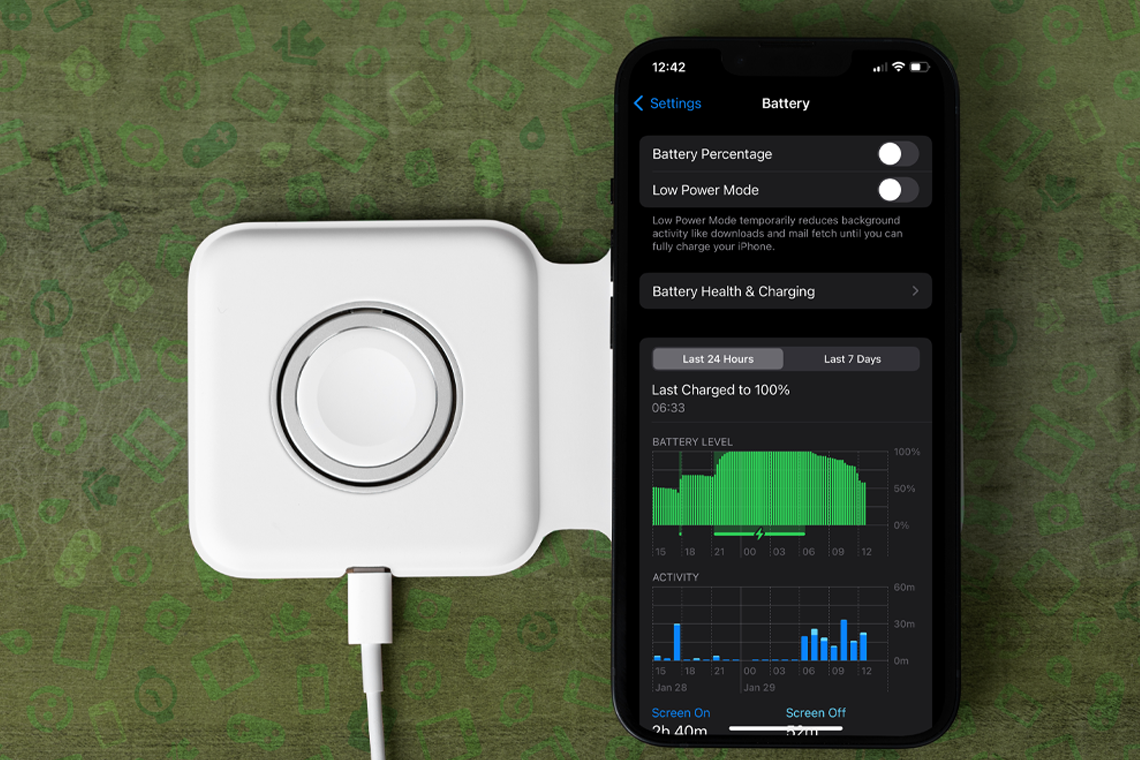
- iPhone 15 and later: go to Settings > Battery > Battery Health. You will see maximum capacity, the cycle count, the manufacture date, and the date of first use.
- iPhone 14 and earlier: go to Settings > Battery > Battery Health & Charging for maximum capacity and peak performance capability. The cycle count is not shown in Settings on these models.
Maximum capacity is the battery’s current capacity compared with when it was new. When it has degraded significantly, typically below 80%, iOS recommends service on this screen. Understanding Apple’s Battery Health explains every reading in detail.
Signs Your iPhone Battery Needs Replacing
- The phone shuts down unexpectedly, especially in the cold or at 20 to 30% charge
- The percentage drops in sudden jumps
- It no longer makes it through a normal day, even after you rule out apps draining power
- Battery Health shows a service recommendation
- The battery is swollen, the screen lifts, or the phone gets unusually hot; stop using it and get it serviced right away
Before blaming the battery, rule out software. Why Your iPhone Battery Dies So Fast (And How to Actually Fix It) covers the common drains.
What Wears Out an iPhone Battery Faster
- Heat. Apple calls 62 to 72°F (16 to 22°C) the ideal comfort zone and warns against ambient temperatures above 95°F (35°C). Heat does permanent damage, and charging in a hot car is one of the fastest ways to age a battery.
- Charging while hot or in certain cases. Some cases trap heat during charging. If the phone gets hot on the charger, take it out of the case.
- Sitting at 100% for long stretches. A battery that is always full ages faster, which is why Apple added charging limits.
- Storing it empty. A battery left fully discharged for weeks can fall into a deep discharge state and lose capacity.
How to Make Your iPhone Battery Last Longer
- Use Charge Limit or Optimized Battery Charging. On the iPhone 15 and later, you can cap charging anywhere from 80% to 100% in 5% steps under Settings > Battery > Charging. On the iPhone 14 and earlier, turn on Optimized Battery Charging.
- Try Adaptive Power on the iPhone 15 Pro and newer, which adjusts performance on heavy-use days to stretch the charge. It is on by default on the iPhone 17 lineup and iPhone Air.
- Keep it cool and out of direct sun while charging.
- Keep iOS up to date, since updates often include battery management improvements.
- Store it at about 50% if you will not use it for a while, and top it back up to 50% every six months.
For the full charging routine, including chargers, cables, and wireless charging, see How to Charge Your iPhone the Right Way.
iPhone Battery Replacement: Cost and Options
A new battery makes an older iPhone feel new again, and it costs far less than a replacement phone.
- Apple (out of warranty): roughly $69 to $119 depending on the model, with the newest Pro models at the top of that range. Get an exact quote from Apple’s battery service page.
- AppleCare+: replaces the battery at no extra charge once its capacity drops below 80%.
- Apple Authorized Service Providers: genuine parts, similar pricing, sometimes faster turnaround.
- Independent repair shops: often cheaper, but a non-genuine battery can show as an “Unknown Part” in Settings > General > About > Parts and Service History, which buyers notice when you sell.
- DIY: possible with the right tools and parts, but easy to get wrong on modern iPhones.
Buying a Used iPhone: What Battery Health Should You Accept?
Lower battery health is normal on a used iPhone and fine as long as the battery works properly. Swappa has no minimum battery-health percentage to list an iPhone, but the battery must charge and discharge correctly, and sellers must disclose when battery health is below 80% and Apple’s battery message is showing.
Use the listed battery health to price the phone. A phone at 82% will likely need a new battery sooner than one at 95%, so factor in the cost of a replacement. On an iPhone 15 or newer, you can also ask the seller for the cycle count. iPhone Battery Health: What to Check on a Used iPhone walks through what to look for, and Battery Health in Used Electronics: What to Know covers other devices.
Replace the Battery or Upgrade?
If your iPhone still gets iOS updates and you like it, replace the battery. It is the cheapest way to get another year or two. If it is near the end of Apple’s support window or has other problems, upgrading may make more sense, and selling your current phone helps pay for the next one. When Should I Upgrade My Phone? 6 Signs It’s Time helps you decide, and if you are selling, read iPhone Battery Health Below 80%: What It Costs, What It’s Worth, When to Replace Before Selling.
FAQ
How many years does an iPhone battery last?
Most iPhone batteries last about 2 to 3 years before reaching 80% capacity, and iPhone 15 and newer models often last 3 years or more because Apple rates them for 1,000 charge cycles instead of 500. Heavy use and heat shorten that, and lighter use extends it.
How many charge cycles does an iPhone battery last?
Apple designs iPhone 15 and later batteries to keep 80% of their original capacity at 1,000 complete charge cycles, and iPhone 14 and earlier batteries to keep 80% at 500 cycles, under ideal conditions. The battery keeps working after that, with less capacity.
Is 80% iPhone battery health bad?
No. At 80%, the battery holds about 80% of its original charge, so you charge more often, but the phone works normally. Below that point, iOS may recommend service, and a replacement will restore full-day battery life.
How much does it cost to replace an iPhone battery?
Apple’s out-of-warranty battery service costs roughly $69 to $119 depending on the model, with the newest Pro models at the top of the range. With AppleCare+, the replacement is covered at no extra charge once capacity drops below 80%.
Does charging overnight ruin an iPhone battery?
No. iPhones stop charging when full and use Optimized Battery Charging, or Charge Limit on the iPhone 15 and later, to reduce time spent at 100%. Heat is a bigger threat, so avoid charging under a pillow or in a hot room.
Conclusion
An iPhone battery is a wear item: plan on 2 to 3 years for older models and longer for the iPhone 15 and newer, then a replacement that costs a fraction of a new phone. Keep it cool, use the charging limits Apple built in, and check Battery Health once in a while. When you are ready for an upgrade instead, sell your iPhone on Swappa to fund it.