
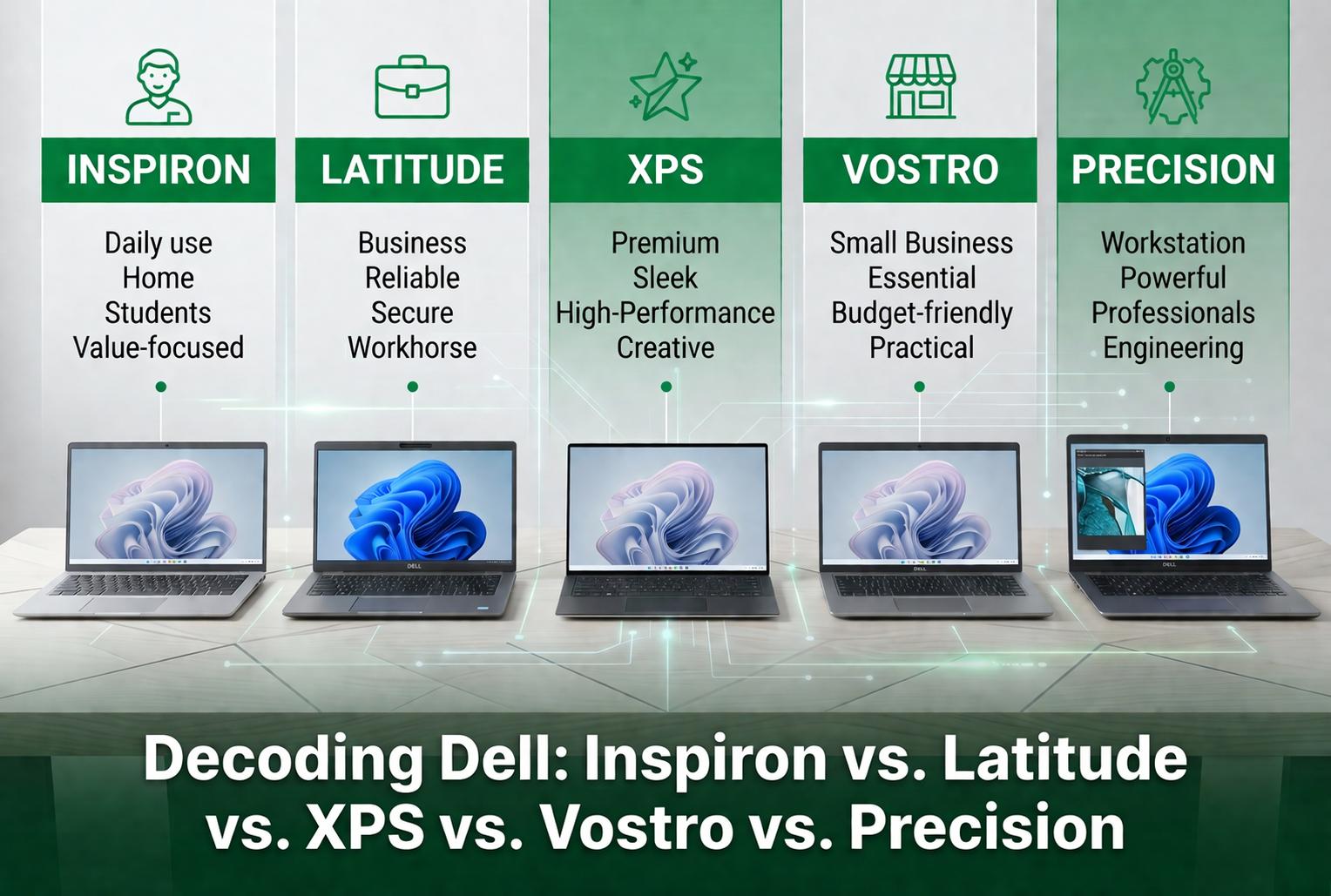
Dell sells laptops under more names than any company should: Inspiron, Latitude, XPS, Vostro and Precision, and since 2025, Dell, Dell Pro and Dell Pro Max. Then in 2026 it brought XPS and Precision back. If you shop used, you will run into every one of these names, so this guide explains what each Dell family is for, how the old and new names map, and which lines make the best used buys.
It is part of Used Laptops: The Complete Guide to Buying and Selling (2026), which covers the rest of the used laptop decision.
Quick Answer
Dell’s laptop families in plain terms: Inspiron (now sold simply as “Dell”) is the consumer line, Latitude (now Dell Pro) is the business line, Precision (now Dell Pro Max and Dell Pro Precision) is the workstation line, XPS is the premium consumer line, and Alienware is gaming. Vostro, the old small-business line, was folded into Dell Pro. For most used buyers, a two- or three-year-old Latitude is the best value, and it is the largest Windows laptop line on Swappa. Browse used Dell laptops on Swappa.
Dell’s New Names, Explained (2025 to 2026)
Dell has renamed its lineup twice in two years, which is why the same laptop can show up under different names depending on when it was built.
January 2025: the big rename. At CES 2025, Dell retired Inspiron, Latitude, Precision, Vostro and XPS as names for new models. Everything moved into three families: Dell for consumers, Dell Pro for business, and Dell Pro Max for workstations. Each family has Base, Plus and Premium tiers, and models are named by family, screen size and tier, such as the Dell 14 Plus or the Dell Pro 14 Premium. XPS-class laptops were sold as “Dell Premium” models, so the Dell 14 Premium was the successor to the XPS 14. Alienware was not touched.
2026: two famous names come back. At CES in January 2026, Dell brought back XPS with a new XPS 14 and XPS 16 running Intel Core Ultra Series 3 processors, starting at $2,049 and $2,199.99, and teased an XPS 13 for later in the year. The “Dell Premium” name was dropped. In March 2026, Dell revived Precision as Dell Pro Precision, a line of workstations that includes its thinnest mobile workstations yet, and kept Dell Pro Max alongside it.
Old Names, New Names, and Where Each Stands Now
| Old name | 2025 name | September 2026 |
|---|---|---|
| Inspiron (consumer) | Dell (Base, Plus) | Sold as “Dell”, such as the Dell 14 Plus |
| XPS (premium consumer) | Dell Premium | XPS is back: XPS 14 and XPS 16 (2026) |
| Latitude (business) | Dell Pro | Dell Pro (Base, Plus, Premium) |
| Vostro (small business) | Dell Pro | Folded into Dell Pro |
| Precision (workstation) | Dell Pro Max | Dell Pro Max and Dell Pro Precision |
| Alienware (gaming) | Alienware | Unchanged |
How to Read a New Dell Name
The new names are easier to decode than the old model numbers. Family, then screen size, then tier. A “Dell Pro 14 Plus” is a business laptop with a 14-inch screen in the middle tier. A “Dell Pro Max 16 Premium” is a top-tier 16-inch workstation. A plain “Dell 16” is a base consumer model.
Why the Old Names Still Matter
New names take years to reach the used market in volume, because business laptops typically come off three-year leases. On Swappa, Latitude is the largest Windows laptop line: 656 listings across 72 products, compared with 442 for ThinkPad, as of September 23, 2026, led by the Latitude 5430, 5420 and 5520. If you are buying used in 2026, you are mostly shopping the old names. The rest of this guide explains them.
Inspiron: The Consumer Workhorse (Now Sold as “Dell”)
Built for: home use. Web, email, schoolwork, video calls, taxes and streaming.
The Inspiron is Dell’s Toyota Camry. It sells in huge volume at every price point, from the laptop your aunt buys at Costco to the one your nephew takes to high school. It is also where Dell makes its most aggressive cost cuts: slower storage, dimmer screens, less memory, and hinges that were not engineered for years of heavy use.
Three sub-tiers are worth knowing:
- Inspiron 3000 series: the budget tier, such as the Inspiron 3501. Dim panels, flexy plastic, fine for light use and not much else.
- Inspiron 5000 series: the mainstream tier, such as the Inspiron 5406 2-in-1, where Inspiron starts earning its money with better screens and keyboards and often a metal palm rest.
- Inspiron 7000 series and Inspiron Plus: the premium consumer tier, such as the Inspiron 16 Plus 7620, with aluminum bodies and better displays. Think of it as a discount XPS.
Buy used? Yes, if it is recent. Look for an SSD, 16GB of RAM, a battery that holds a charge, and a processor that runs Windows 11. Skip older Inspirons that shipped with spinning hard drives.
Skip if: you spend more than three hours a day on your laptop. A used Latitude or XPS will serve you better for about the same money.
Latitude: The Business Tank (Now Dell Pro)
Built for: office workers, road warriors and IT departments. Five-day work weeks, three-year refresh cycles, daily commutes.
If you remember one thing from this guide, make it this: the Latitude is the most underrated laptop on the used market. Latitudes are built to survive three to five years of corporate use. Most are MIL-STD-810 tested for drops and vibration, the keyboards are spill resistant, the hinges are overbuilt, and the chassis is usually magnesium, aluminum or carbon fiber. They also get long-tail driver and BIOS support that consumer laptops rarely see.
The Latitude family splits into clear tiers:
- Latitude 3000 series: entry business, such as the Latitude 3420. Mostly plastic, but still sturdier than an Inspiron from the same year.
- Latitude 5000 series: the workhorse your IT department probably issues by default, such as the Latitude 5410, in 13-, 14- and 15-inch sizes with all the practical ports. The most common Latitude on the planet.
- Latitude 7000 series: premium business ultraportables, such as the Latitude 7400 and 7410. Lighter, better screens on higher-end configurations, and comfortable to carry all day.
- Latitude 9000 series: the executive flagship tier, such as the Latitude 9430 2-in-1, less common used.
Buy used? Yes. This is the play. A two- or three-year-old Latitude 5000 or 7000 with a recent Intel Core i5 or i7, 16GB of RAM and an SSD costs a fraction of its original price and will outlast most new budget laptops.
Skip if: you want the thinnest, flashiest design available. Look at an XPS instead.
One warning before you buy any used business laptop: confirm it is not locked by a BIOS password, Computrace persistence or company device management. Our guide to BIOS locks and MDM enrollment on used laptops shows how to check.
Shop Used Dell Latitude Laptops
XPS: Dell’s Showpiece (Back in 2026)
Built for: designers, creators and anyone who wants a Mac-like Windows laptop.
The XPS is the laptop Dell uses to prove it can build something beautiful: machined aluminum and carbon fiber, very thin bezels and color-accurate screens on the higher tiers. The XPS 13 spent most of the last decade as the default answer to “best Windows ultrabook”, while the XPS 15 and XPS 17 were creator machines that competed with the MacBook Pro. If a Mac is on your shortlist, see the cheapest MacBook Pro worth buying.
The lineup has changed a lot recently:
- Early 2024: the XPS 14 (9440) and XPS 16 (9640) replaced the XPS 15 and XPS 17.
- 2025: XPS-class laptops were sold under the “Dell Premium” name.
- January 2026: XPS returned with a new XPS 14 and XPS 16, with an XPS 13 promised for later in 2026.
Buy used? Carefully. XPS reliability is streakier than Latitude reliability. Some generations nailed it, while others had thermal issues, coil whine, keyboard wear or hinge problems, so the specific model and year matter. On the used market you will mostly see the XPS 13 9310, XPS 13 Plus 9320, and XPS 15 9510, 9520 and 9530 generations. Check screen condition, battery life and keyboard wear before you buy.
Skip if: you are hard on laptops or need one that still feels solid in year four. A Latitude 7000 series is the tougher choice.
Vostro: The Forgotten Middle Child (Retired)
Built for: small businesses without an IT department.
The Vostro sat between Inspiron and Latitude: less bloatware than an Inspiron, slightly better build, and basic management features. Dell folded it into Dell Pro in 2025, but used Vostros still turn up.
Buy used? As a value play, yes. Because most shoppers do not know what a Vostro is, it can sell for less than a comparable Latitude. The build is not quite as tough, but it is fine for office work.
Skip if: a Latitude with similar specs fits your budget. The Latitude is the better laptop.
Precision: The Mobile Workstation (Now Dell Pro Max and Dell Pro Precision)
Built for: CAD, engineering simulation, 3D rendering, video production and scientific computing.
The Precision is Dell’s serious workstation: ISV-certified graphics drivers for apps like Autodesk and SolidWorks, professional NVIDIA RTX graphics, large memory ceilings and serviceable designs. Precisions are expensive new and depreciate quickly, which makes them some of the best-value used laptops for people who need real horsepower.
The line splits into practical groups:
- Precision 3000 series: entry mobile workstations for engineers and developers who want certified drivers without the top-end GPU, such as the Precision 3560.
- Precision 5000 series: the slim workstation, closely related to the XPS 15 and XPS 16 of the same era, such as the Precision 5550.
- Precision 7000 series: the heavyweight with the most cooling, the biggest GPUs and the most memory, such as the Precision 7670 and 7780.
Buy used? Yes, if you need the power. A two- or three-year-old Precision can deliver workstation performance for a fraction of its launch price.
Skip if: you do not need workstation drivers or a pro GPU. For office work, a Precision is heavier and more expensive than it needs to be.
Alienware and the G Series: Dell’s Gaming Laptops
Alienware is Dell’s premium gaming brand and came through the 2025 rename untouched. The G series sat below it as Dell’s budget gaming line. Used gaming laptops can be excellent value because they depreciate fast, but they live hard lives: heat cycling, dust and constant travel. Check fan noise, thermals and battery life, and expect to budget for new thermal paste or fans on an older machine. Gaming on a desktop instead? See how to buy a used GPU safely.
Quick Comparison: Which Dell Line Fits Your Needs?
| Old name | Current name | Best for | Build | Used-market value |
|---|---|---|---|---|
| Inspiron | Dell | Home, school, light use | Plastic to aluminum | Modest, depreciates fast |
| Latitude | Dell Pro | Office, travel, students | Magnesium, aluminum or carbon fiber, MIL-STD tested | Excellent |
| XPS | XPS | Premium consumer, creators | Aluminum, carbon fiber, glass | Good, verify condition |
| Vostro | Dell Pro | Small business | Sturdy plastic | Quietly good |
| Precision | Dell Pro Max, Dell Pro Precision | CAD, 3D, engineering | Workstation grade | Excellent for the spec |
| Alienware | Alienware | Gaming | Premium gaming chassis | Good, check thermals |
The short version: most people should look at a used Latitude. Creators on a budget should look at a used XPS or Precision. Inspirons and Vostros are fine when the price is right, but they are rarely the best deal on the used market.
The Used Dell Shortcut
Here is the move that saves shoppers the most money. Skip a brand-new mid-tier consumer laptop and pick a two- or three-year-old Latitude 5000 or 7000, or a Precision if you need horsepower, with an 11th-gen Intel chip or newer, 16GB of RAM and an SSD. That is how IT departments have shopped the used market for years. Need a desktop instead? The same off-lease logic applies to Dell’s OptiPlex business desktops. To narrow the search, see how to shop Swappa listings faster.
Before you pay, check three things: the service tag on Dell’s support site, that there is no BIOS, Computrace or MDM lock, and the battery report. Every laptop you consider should also run Windows 11, since Windows 10 security updates for home users end on October 13, 2026.
For which model numbers to buy, what each generation costs on Swappa today, and a full pre-purchase checklist, see the Used Dell Laptop Buying Guide: Which Latitude or XPS to Buy in 2026. If you are cross-shopping brands, compare Decoding HP Laptops and Decoding Lenovo Laptops, and see how laptops hold value in Used Tech Resale Value: The Complete Pricing Guide.
Frequently Asked Questions
Did Dell get rid of the XPS?
For about a year. Dell retired the XPS name in January 2025 and sold those laptops as “Dell Premium” models, then brought XPS back at CES in January 2026 with a new XPS 14 and XPS 16. An XPS 13 was promised for later in 2026.
What replaced the Dell Latitude?
Dell Pro replaced the Latitude for new business laptops in 2025, in Base, Plus and Premium tiers. Used Latitudes are still everywhere, and they remain the largest Windows laptop line on Swappa.
What is the difference between Dell Pro and Dell Pro Max?
Dell Pro is the business laptop family that succeeded the Latitude and Vostro. Dell Pro Max is the workstation family that succeeded the Precision, built for heavier CPU and GPU workloads. In 2026 Dell also revived the Precision name as Dell Pro Precision.
Is a used Dell Latitude better than a new Dell Inspiron?
For most people, yes, at the same price and over a three- to five-year horizon. A Latitude has a tougher chassis, a better keyboard, longer driver support and better long-term reliability than a new entry-level consumer laptop.
Which Dell laptop line is best for college students?
A used Latitude 5000 or 7000 series is usually the sweet spot: durable enough for a backpack, well supported and affordable on the used market. For current picks, see The Best Used Laptops Under $400 for College Students (2026).
Know the Family, Then Shop the Model
Dell’s families are not five flavors of the same laptop. They are different products built for different buyers, and the gap between them is wider than the marketing suggests. The names changed in 2025 and again in 2026, but on the used market the old names still tell you what you are getting.
For most people, the smart Dell to buy is not a new one. It is a clean, two- or three-year-old Latitude or Precision from a marketplace where staff review listings before they go live. If you are new to it, see how Swappa works for buyers. Upgrading from an older Dell? Sell your used laptop on Swappa and put the money toward the next one.
