Swappa makes the experience of buying and selling newish tech easy and affordable. We’re happy to announce the addition of Stripe to our payment methods. With Stripe Payments, Swappa Power and Enterprise sellers can now accept credit and debit cards directly on the Swappa checkout page.
How to Add Stripe Payments to Your Swappa Account
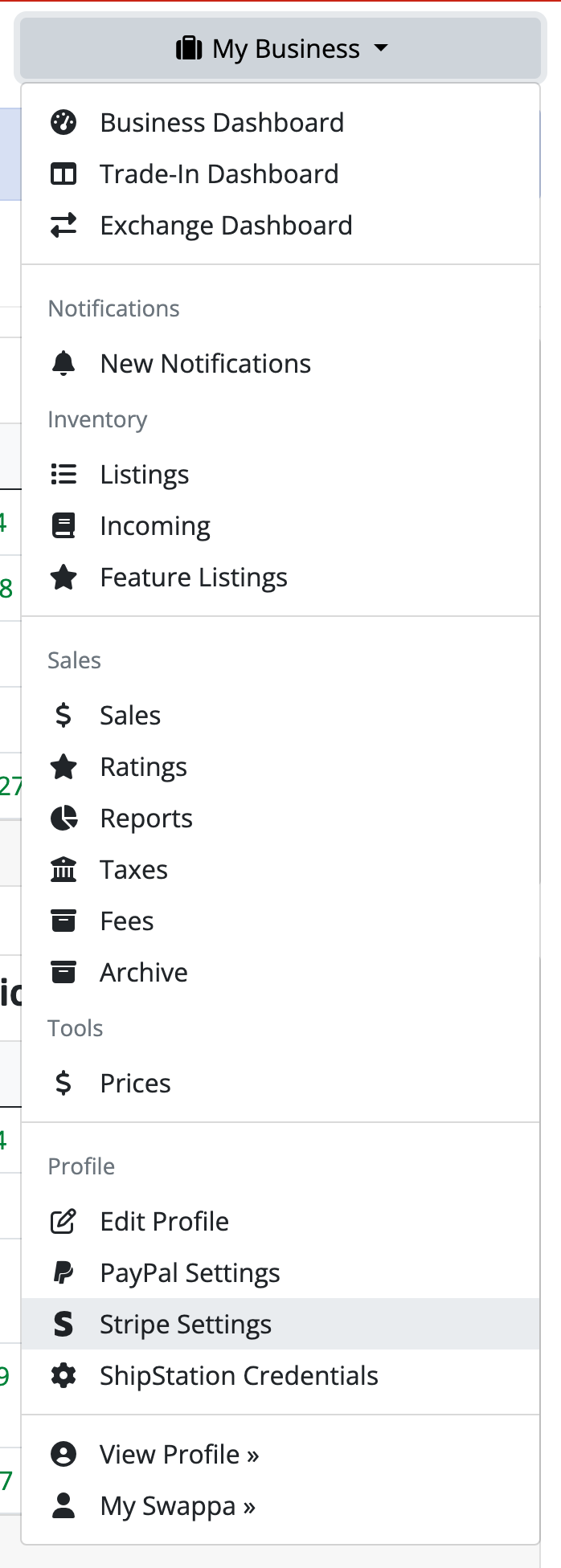
If you’re a Power or Enterprise seller, you can opt-in to Stripe payments. To get started, head to your My Business menu and select ‘Stripe Settings’ under the Profile section.
From the Stripe Settings page, you can start the Stripe onboarding process by clicking the green ‘Connect to Stripe’ button. You’ll be taken to Stripe’s website to complete an application process, answering questions about your business and entering payment-related information.
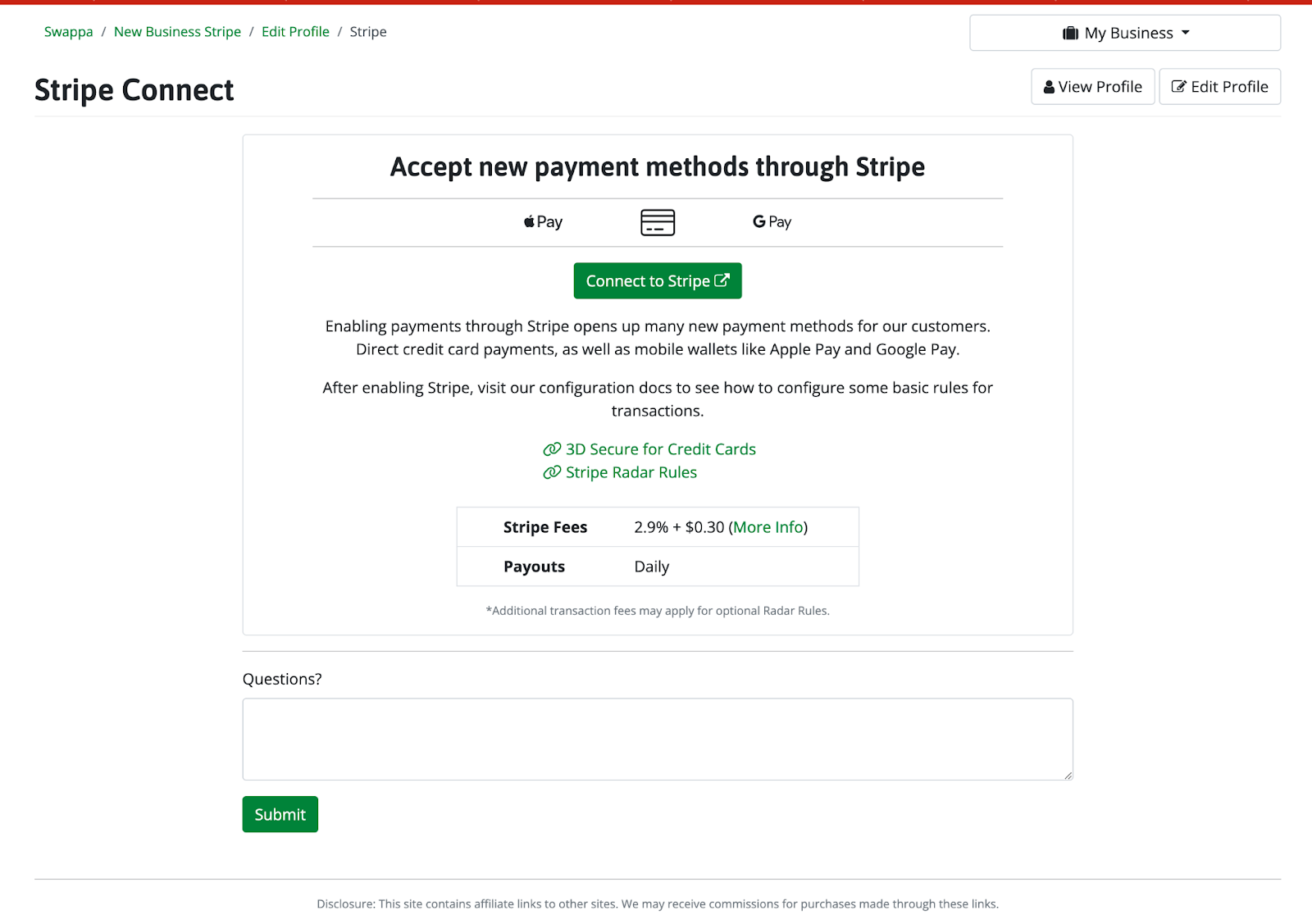
Once you’re done with the Stripe onboarding process, Swappa will receive an email and we’ll contact you with further instructions. The instructions will help you complete the final account setup steps so we can turn on Stripe payments for your account.
When Stripe is Enabled
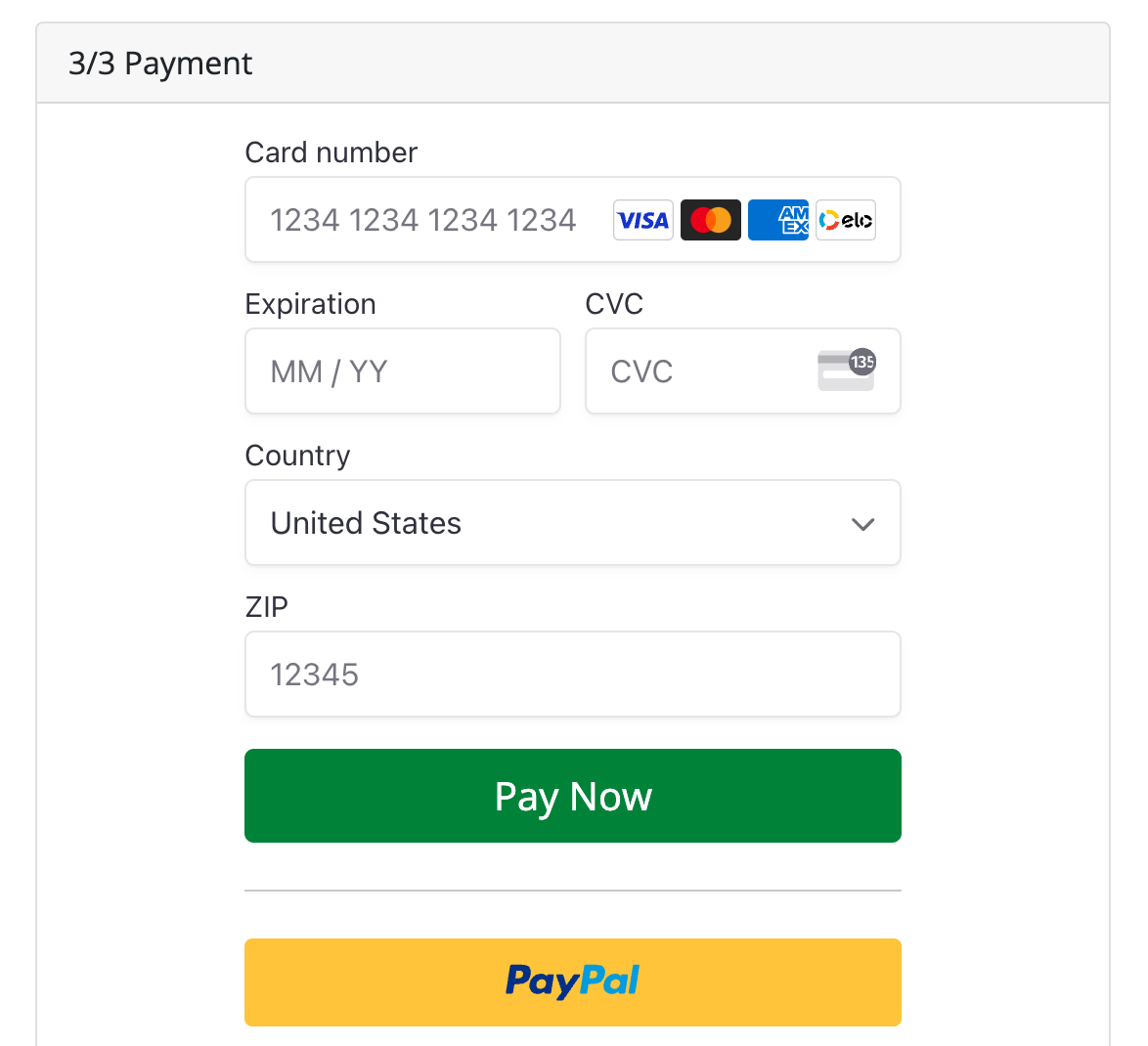
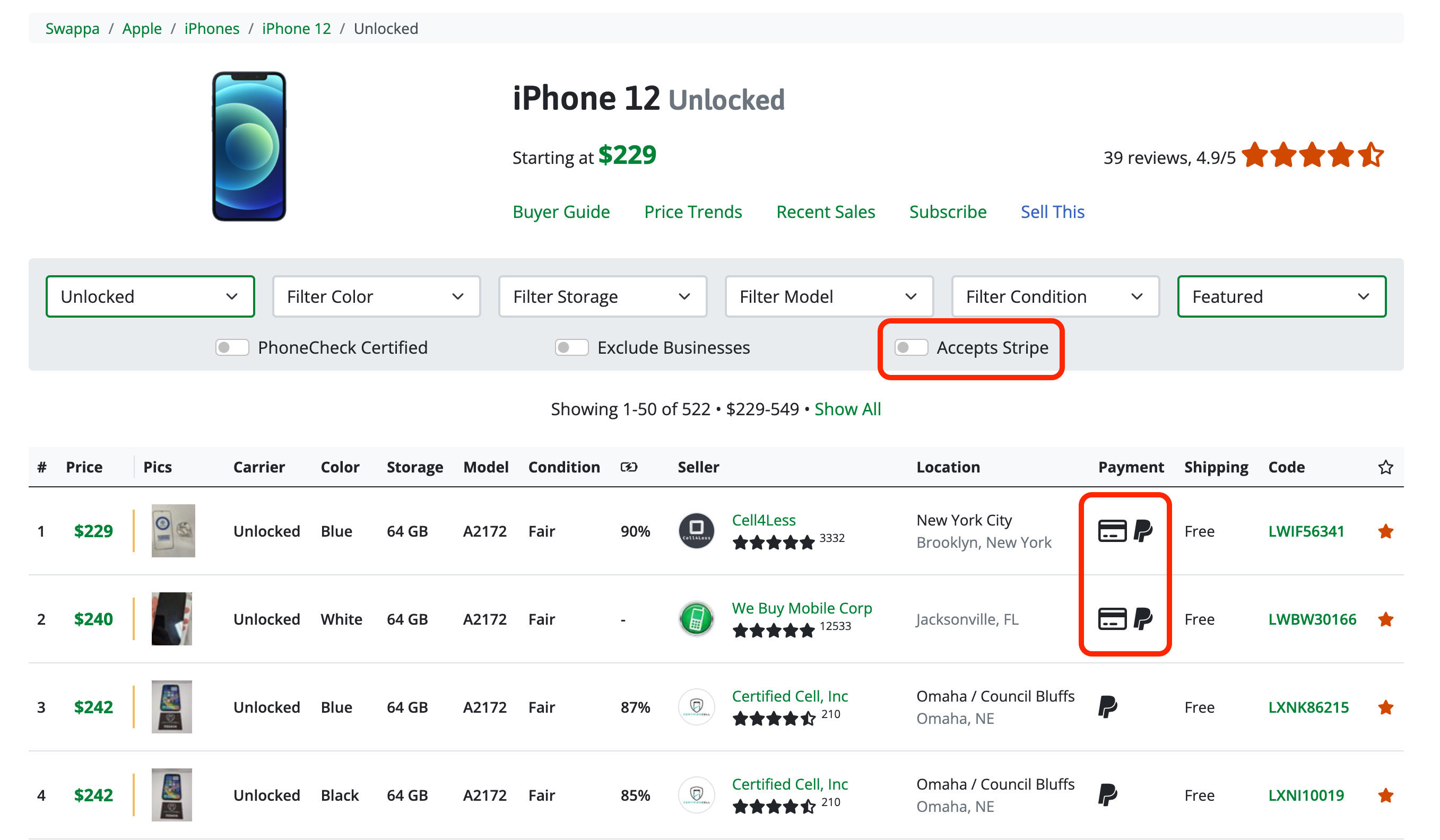
Once Stripe is enabled on your Swappa account, a new payment icon will be shown on your listing and buyers will be able to pay for your listing with a debit or credit card directly from the checkout page.
Buyers will be able to filter listings with the ‘Accepts Stripe‘ filter.
Why use Stripe Payments on Swappa?
Swappa is striving to give our buyers and sellers the best experience possible when buying gently used tech. Toward that end, we want to provide payment options that offer competitive low fees as well as industry-leading protections. If you’re looking to increase your sales as a Power or Enterprise seller on Swappa, try Stripe Payments.
Stripe offers:
- Increased Sale Conversion – collect debit and credit card payments directly from Swappa’s checkout page
- Low transaction fee – 2.9% + .30 (more info)
- Daily Payouts
Who qualifies to accept Stripe payments?
Currently, only Power and Enterprise sellers in good standing can enable Stripe payments on Swappa. If you’re interested in becoming a Power Seller on Swappa, you can submit an application.
Can I only have Stripe payments enabled?
You will need to have both PayPal and Stripe payments enabled. We do not currently allow only Stripe payments on a Swappa seller account.